Blog
Latest updates, features, and insights from the Revel Digital team
Simplifying ePaper with Revel Digital and Agile Display Solutions
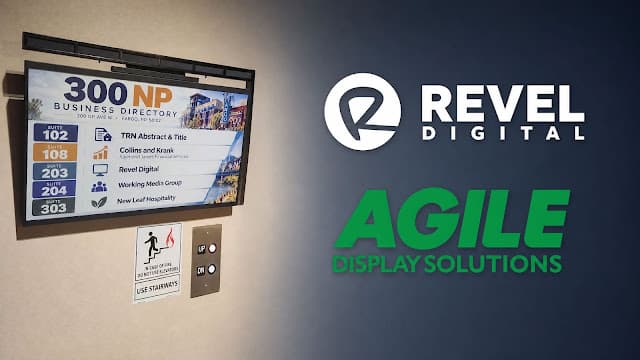
The building directory outside our elevators in Fargo has no power cord, no data cable and no battery to swap. It's a 32" full-color ePaper display from Agile Display Solutions, powered by the light in our hallway and managed from Revel Digital like any other screen in our network. Today we're announcing Revel Digital's integration with the Agile Display Solutions Solis™ ePaper line. Solis displays can now be scheduled, updated and monitored from the Revel Digital CMS, and they work with our AI Scheduled Tasks. The directory in the photo went from a one-line prompt to the wall in seconds. Color that looks like print The Solis 32 uses E Ink's Spectra™ 6 technology, and the color is what stops people in the hallway. It shows 65,000 colors at 2560×1440 on a 31.5" panel, with a matte, paper-like finish. ePaper reflects ambient light instead of shining a backlight at you. That means no glare, no glow and no washed-out image when the lights are bright. Our directory's navy and orange suite numbers and the Fargo skyline read like a printed poster, from across the hall or up close. 31.5" full-color ePaper with E Ink Spectra 6 2560×1440 resolution and 65,000 colors Matte reflective finish that stays legible at wide viewing angles Portrait or landscape, mounted on 100×100 VESA or simple D-ring picture hangers Aluminum construction at 4 kg (8.8 lb) and 34 mm deep Hang it once, never charge it The Solis 32 runs on indoor light. Optional solar modules mount along the top edge, which you can see above our directory, and harvest energy from the lighting that's already in the building. The displays harvest light with Powerfoyle, a thin and flexible solar cell from Exeger that turns indoor light into electrical energy, greatly extending battery life and significantly reducing the need to charge the battery. With three solar modules under normal indoor lighting, Agile rates the display for unlimited battery life at up to three image changes per day.¹ A good directory, menu board or wayfinding sign rarely needs more than that. ePaper only draws power when the image changes and holds the picture with no power at all in between. That changes where signage can go: No electrician, no conduit, no cable runs. Hallways, elevator lobbies, retail aisles and endcaps are all fair game. No battery maintenance. Nobody walks the building with a charger. Lower install cost than LCD, with no ongoing electricity bill from the display itself. A real sustainability story. No printed posters to ship and throw away, and no battery waste headed to landfills. Solis accepts up to three solar modules per display, so you can match the configuration to the lighting and update frequency of each location. ¹ Per Agile's spec sheet: assumes 3 solar modules installed, 1,000 lux for 12 hours/day. Supported lighting is 500–1,000 lux for 12–24 hours/day. One CMS for every screen, including ePaper Solis displays connect to Revel Digital through Agile's ACE (Agile Conversion Engine). To your team, they're just more devices in the Revel Digital CMS, alongside your LCDs, video walls and kiosks. Agile Displays are first-class devices within the Revel Digital CMS What that looks like day to day: Same workflow. Upload media, build playlists and schedules the way you already do. No second portal to learn. Scheduling from anywhere. Push new content to one display or a thousand over Wi-Fi from the office. Monitoring in one place. Solis displays report status through ACE, so they sit in the same device views as the rest of your network. Fast setup. Each display is provisioned in under five minutes with Agile's ePaper Tool™ app for iOS and Android. Firmware updates arrive over the air. Standard formats. Solis accepts PNG, JPG, JFIF and BMP images, so anything your designers already produce works. A Solis display takes about 18 seconds to redraw a new image. For directories, menus, pricing and wayfinding, that's a non-issue. Content changes a few times a day at most, then holds perfectly still with zero power draw. From prompt to display in seconds The directory in the photo wasn't designed by hand. We built it with an AI Scheduled Task in Revel Digital, and it went from a prompt to the display on the wall in seconds. The prompt was a single line. We didn't give it a tenant list, suite numbers or a layout: Create a business directory for our building at 300 NP Ave N in Fargo and schedule it on the lobby ePaper display. The AI agent handled everything else: Looked up the current tenant list for the building on its own, including every suite number and business name. Generated the directory image at the Solis 32's native 2560×1440 resolution, with color-coded suite numbers, an icon for each tenant and a downtown Fargo scene. Uploaded and scheduled the content to the ePaper display in the Revel Digital CMS. Nobody typed in tenant data, opened a design tool, exported files or uploaded anything by hand. Because Scheduled Tasks can run on a recurring schedule, the same task can check the tenant list again and refresh the directory when someone moves in or out. The same approach keeps menus, event boards and daily notices current without anyone touching them. Where Solis fits Solis is built for content that changes a few times a day and places where running power was never practical: Building directories and wayfinding in lobbies, elevator banks and corridors Retail shelf-edge promotions, endcaps and in-aisle pricing Restaurants and cafeterias with daily menus and specials Corporate and campus room signage, event boards and announcements Healthcare and hospitality notices where cables and glare aren't welcome Solis 32 at a glance Spec Solis 32 Display 31.5" E Ink Spectra 6, 2560×1440, 65,000 colors Finish Matte reflective (paper-like) Power Up to 3 solar modules; unlimited battery life at up to 3 image changes/day¹ Supported lighting 500–1,000 lux, 12–24 hours/day Image change time About 18 seconds Connectivity Wi-Fi; scheduling and monitoring via ACE to Revel Digital Setup ePaper Tool app (iOS and Android), under 5 minutes; OTA firmware updates File formats PNG, JPG, JFIF, BMP Mounting 100×100 VESA or D-ring hangers; portrait or landscape Size and weight 423.8 × 709.1 × 34 mm (display only); 4 kg / 8.8 lb Operating range 0–50 °C, 20–80% RH See it for yourself The Solis integration is available now to Revel Digital customers. If you're in Fargo, stop by 300 NP Ave N and see the directory in person. Otherwise, contact our team to set up a demo or visit Agile Display Solutions for more on the Solis line.
Revel Digital

No Outlet, No Problem: Revel Digital Now Supports Agile's ePaper Displays
Every signage deployment eventually runs into the same wall — sometimes literally. There's a spot that would be perfect for a screen. The right sightline, the right foot traffic, the right moment in the customer journey. And then someone asks where the power is coming from, and the answer is a conduit run across a finished lobby, a permit, an electrician, and a quote that turns a $900 display into a $3,000 project. The screen doesn't go up. The wall stays blank. That constraint has shaped digital signage for two decades. It's why networks cluster around existing outlets, why outdoor placements get value-engineered out of proposals, and why so many locations still run laminated posters that nobody has updated since spring. We're happy to say that constraint just got a lot smaller. Revel Digital now supports Agile Display Solutions' Solis ePaper displays through the Agile Conversion Engine (ACE), which means E Ink signage can be scheduled, deployed, monitored, and managed from the same Revel Digital account you already use for your conventional screens. Support is live today. What ePaper actually changes ePaper isn't a cheaper LCD. It's a different category of display, and the differences are worth understanding before you decide where it belongs in your network. The headline is power. E Ink panels only draw energy when the image changes; holding a static image costs essentially nothing. E Ink's own leadership has put the gap at up to 120 times less power than comparable LCD and LED displays, and Agile's 75" outdoor DigiPoster is rated at roughly a tenth the power draw of an equivalent LCD. In practice this crosses a threshold that matters: at that consumption level, a display can run on harvested light. Agile's Solis 32 pairs E Ink Spectra 6 color with Exeger's Powerfoyle solar cell, and the result is a full-color 32" display that needs no cable, no outlet, and no external power at all. The second-order effect is the interesting one. When a display doesn't need power, the installation stops being an electrical project and becomes a mounting job. Exeger, which makes the Powerfoyle cell, puts the labor and materials for a typical power-and-data run at more than $1,500 per unit — and that figure understates the impact in the buildings where it's hardest, the historic lobby with plaster walls, the leased retail bay where the landlord won't approve conduit, the parking structure, the outdoor pole. Those aren't marginal cost savings. They're the difference between a screen existing and not existing. Third is longevity and maintenance. No backlight means no backlight to fail, and a self-powered display has no power supply to replace. Agile markets the solar models as maintenance-free, which for a network operator translates into fewer truck rolls — historically one of the least visible and most persistent costs of running a distributed signage network. And there's the sustainability story, which is increasingly not just a story. If your organization reports on Scope 2 emissions or is working against a corporate energy reduction target, a signage network is a surprisingly awkward line item. Screens run all day, every day, in every location. Moving even a portion of that network to ePaper is a measurable, defensible reduction — and unlike most sustainability initiatives in AV, it also makes the project cheaper. Where ePaper fits, and where it doesn't Being straight about the tradeoffs makes the deployment decisions easier. ePaper refreshes in seconds, not milliseconds. There's no video, no animation, no motion transitions. The color gamut is real and it's genuinely good — Spectra 6 and Kaleido 3 are a long way from the grayscale e-readers most people picture — but it's more like a high-quality print than a backlit screen. And because the image is reflective rather than emissive, it reads beautifully in bright ambient light and direct sun, where LCD washes out, but it depends on the room being lit. So: ePaper is not where you put your brand video reel or your motion-heavy promo loop. It is where you put content that changes on a cadence rather than continuously. That covers a lot of ground. Wayfinding and building directories change when a tenant moves, not when someone walks by. Meeting room panels outside every door in a building — a placement that has always been an electrical nightmare — need to update a few times an hour at most. Retail shelf-edge pricing, promotional posters, and window displays change daily or weekly. Menu boards in quick-service, campus and transit information, hospital department directories, real estate window listings, event and conference signage, outdoor park and trail information. In every one of these cases the content is a page, not a movie, and the display's job is to be legible and current rather than eye-catching through motion. Most networks won't be all one or the other. The realistic pattern is LCD and LED at the high-impact focal points where motion earns its keep, and ePaper filling in everywhere the power run used to end the conversation. Which is exactly why managing both from one place matters. How it works in Revel Digital ACE is Agile's open integration standard for E Ink signage. It handles the parts of ePaper that are genuinely different from conventional playback — converting content into the panel's native color space (including Agile's Color Fidelity Algorithm for Kaleido 3 and Spectra 6), synchronizing schedules to the display's refresh cadence, managing devices, and reporting telemetry back. All of that processing happens in the cloud, which is why the displays themselves can stay so simple and so frugal. What that means from your side of the screen is that a Solis display behaves like any other device in your account. You schedule to it the same way. It appears alongside your other devices for monitoring and status. Updates go out wirelessly. The playlists and content workflows your team already knows carry over — you're not learning a second system or logging into a separate portal to keep the ePaper half of your network current. Solis ePaper devices managed alongside conventional players As our CTO Mike Tinnes put it in the announcement: "By supporting Agile Display Solutions' Solis ePaper displays through ACE, Revel Digital customers can extend the same scheduling, monitoring, and content-management experience they already use to a new class of wireless, sustainable signage." Agile CEO Scott Soong framed the other half of it: "ePaper becomes much more powerful when customers can manage it inside the CMS workflows they already trust." Both are describing the same thing from opposite ends. ePaper hardware has been ready for a while. What's been missing is the ability to run it without treating it as a special case. Getting started Support for Agile Display Solutions' Solis ePaper displays is available now to all Revel Digital customers. Agile's current lineup spans indoor and outdoor: the 13" and 32" Solis models, the 75" DigiPoster for outdoor deployments, and the A1 indoor panel. If you have a location where a screen has been on the wishlist but off the budget because of the power run, that's the first place to look. Reach out to our team and we'll walk through whether ePaper fits the placement, and what a mixed network looks like alongside the displays you're already running. More information available here: https://www.reveldigital.com/agile-epaper-solutions Sales and support: +1-855-738-3534, 9am–5:30pm CST sales@reveldigital.com · support@reveldigital.com
Revel Digital
From prompt to player in minutes: professional signage apps, no developer required
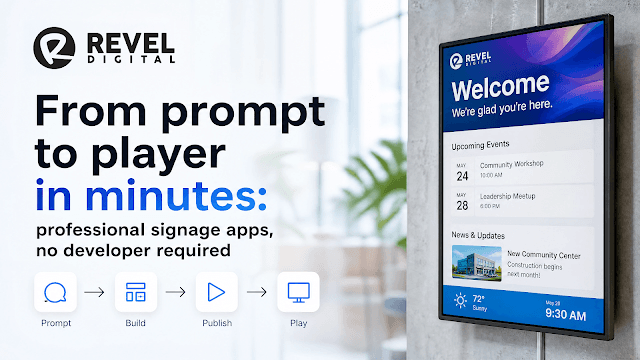
For a long time, custom digital signage came down to a hard choice. Drag-and-drop templates were quick but generic, and anything genuinely tailored — a live building directory, a branded lobby display, a screen that actually reacts to its surroundings — meant hiring a developer and waiting days for the result. Our new Revel Digital webapp skill removes that trade-off. Working with an AI assistant like Claude, you simply describe the screen you want in plain English. The skill builds it for you — polished, professional, and ready for a TV — then publishes it straight to your Revel Digital account. No code, no design system to learn, no build process. Just a conversation that takes minutes. To show what that looks like, we built a clean, professional building directory — date, time, live weather, and a tenant list grouped by floor — start to finish, simply by describing it. Building directory app built entirely by Claude Code, ready to deploy. You describe it. The skill handles the hard parts. The reason this works without a developer is that all the things a professional would normally have to get right are already built into the skill. You don't ask for them — they just come standard: It's automatically connected to your player. Every app the skill builds is wired to the Revel Digital player through our client SDK, with no setup on your part. That connection is what lets the directory show the screen's own local time and pull weather for wherever that screen physically sits. It looks right on a big screen. Text is sized to be readable from across a lobby, and the layout stays clear of the edges so nothing gets cut off on a TV — a detail that quietly ruins a lot of homemade signage. It meets accessibility standards. Section 508 and WCAG requirements are handled for you, which matters when signage is going into a public building. It matches your brand. Tell it your color and whether you want a light or dark look, and the whole app is themed to match. You stay focused on what you want the screen to say. The skill takes care of how to make it look and behave professionally. We built the directory by just asking The starting point was a single, plain-language request — no technical terms required: Create a building directory for our signage. Make it clean and professional with a dark theme. Show the current date and time and the local weather, and list the tenants grouped by floor. That one description was enough. The skill came back with a complete, working directory — the layout, the live clock, the weather, the floor groupings, all in place. Live weather comes from Open-Meteo, a free weather service, automatically tied to each screen's location, so a directory deployed in one city shows that city's conditions with nothing extra to configure. Refining is just more conversation The first result was already usable, and improving it was simply a matter of saying what you wanted changed, with each version appearing in seconds: Put the clock and weather together in the top corner. Give each floor its own panel so it's easier to scan. Actually, let's try it in dark mode. No menus to dig through, no files to touch. If you can describe the change, you can make it — and because the brand and theme are built in, even a request like switching to dark mode keeps everything looking polished and readable. Publishing straight to your screens When the directory looked right, publishing it was one more sentence: Publish this to my Revel Digital account. Behind the scenes, the Revel Digital connector (our MCP server) handles that step right inside the same conversation. Moments later, the finished app shows up in your Revel Digital media library, ready to drop into a playlist and schedule to any of your screens — exactly like any other piece of content. There's no separate tool, no hand-off, no waiting. The whole thing, by the clock When you add it up, the time you actually spend is short: A first working app from one description — on screen in a matter of minutes. A few spoken-language tweaks to get it exactly right — seconds each. One sentence to publish it to your account. The slow, expensive parts of a signage project — the design work, the development, the publishing setup — have all been folded into the conversation. What's left is mostly just deciding what you want the screen to say. Why it matters A building directory is a simple example on purpose, but the same approach covers far more: a wayfinding board, a menu, a meeting-room schedule, a live stats display, a donor wall. If you can picture it and describe it, you can have it on your screens that same day — looking like something a professional studio produced, without needing one. And because the whole thing fits in a single conversation, trying an idea costs almost nothing. Spin one up, see it on a screen, keep it or move on — in the time it used to take just to schedule the first meeting. From an idea to a polished app on your signage — in minutes, and entirely in your own words. Demo Getting set up You won't be writing any code, but there's a short one-time setup that teaches Claude how to build Revel Digital apps and connects it to your account. You do this once. There are two ways to do it — pick whichever matches how you like to work. Either way, you'll need a Revel Digital account and a paid Claude plan. Option A: The Claude desktop app (recommended) This is the friendliest path — everything happens in menus and a chat window, with nothing to type at a command line. Install the Claude desktop app, then: Add the webapp skill. Download revel-webapp-skill.zip from the skill's Releases page. In Claude, open Settings → Capabilities → Skills, choose Upload skill, and select the ZIP. While you're there, make sure Code execution is turned on — that's what lets Claude build the app for you. Connect your Revel Digital account. Open Settings → Connectors, click the + next to Connectors, and choose Add custom connector. Name it "Revel Digital" and paste in this address: https://mcp.reveldigital.io/mcp. Click Add, then Connect — a browser window opens for you to log in to Revel Digital. That's the only sign-in step, and there are no keys or passwords to copy anywhere. Now just start a new chat and describe the screen you want. Option B: Claude Code (command line) If you're comfortable with a terminal, Claude Code does the same thing with two short commands. Add the skill: /plugin marketplace add RevelDigital/reveldigital-webapp-skill /plugin install revel-webapp@reveldigital (Later on, /plugin marketplace update reveldigital pulls the newest version.) Then connect your Revel Digital account: claude mcp add --transport http reveldigital https://mcp.reveldigital.io/mcp The first time it's used, a browser window opens for you to log in to Revel Digital — same one-time sign-in, no keys to store. Whichever you choose, that's the whole setup. From here on, it's all plain language: describe the screen you want, refine it by talking, and ask Claude to publish it when it's ready. Links Webapp skill: github.com/RevelDigital/reveldigital-webapp-skill Revel Digital: reveldigital.com Weather data: Open-Meteo
Revel Digital
.jpg&w=3840&q=75)
Tasks That React: Event and Webhook Triggers for AI-Powered Workflow Automation
Scheduled Tasks gave Revel Digital users a way to put the platform on autopilot — run an AI analysis every morning, refresh a data table every hour, audit your fleet every night. Powerful, but it all runs on a clock. The task fires because it's 6:00 AM, not because anything actually happened. The problem is that most of the work worth automating isn't tied to the clock at all. It's tied to events. A new piece of media gets uploaded. A new device comes online in the field. A ticket gets created in your help desk. A row changes in some upstream system. These moments don't wait for the next scheduled run, and forcing them into a polling loop ("check every five minutes if anything changed") is both wasteful and slow. So we extended Tasks beyond the schedule. A task can now be triggered three ways: ⏰ On a schedule — the cadence-based behavior you already know. ⚡ By an event — fired automatically when something happens inside your Revel Digital account, like new media being uploaded or a new device registering. 🪝 By a webhook — fired by an HTTP request from anything that can send one, including third-party workflow tools. Pair any of those triggers with the AI agent task type and you get something genuinely different from a fixed automation: a task that reads the context of what just happened, reasons about it with a prompt you wrote in plain language, and takes action accordingly. Not "if this, then exactly that" — more like "when this happens, here's what I want you to figure out and do." Here's how it works. Event Triggers: React to What Happens in Your Account Event-triggered tasks listen for things happening inside Revel Digital and fire the moment they occur. Two of the most useful event sources to start with are new media uploaded and new device registered — and both pair naturally with an AI agent. Run agentic workflows on event triggered tasks Vet every upload automatically Picture a large account where dozens of people across multiple locations can upload media — franchise managers, regional marketing, agency partners. Every one of those uploads is a small act of trust: you're assuming the content is on-brand, appropriately sized, and safe to put on a public screen. At scale, that assumption breaks. With a new-media event trigger, every upload kicks off an AI agent task the instant the file lands. The agent receives the details of the uploaded media as its trigger payload and runs whatever review you've described in your prompt. For example: Review the uploaded image. If it contains nudity, violence, hate symbols, profanity, or anything else unsuitable for a public-facing display, flag it and notify the marketing team. Otherwise, approve it for use. The same trigger handles a completely different problem — fleet fit. Digital signage fleets are rarely uniform: you've got portrait lobby screens, ultrawide menu boards, and standard landscape displays all in the same account, and a single uploaded asset almost never suits all of them. Instead of asking uploaders to export five versions, let the agent do it: When new media is uploaded, generate appropriately sized variants for each display resolution in our fleet so the asset is ready to schedule on any screen. The uploader does one thing — drop in a file. The agent handles the review, the resizing, and the housekeeping, every time, without anyone remembering to. Onboard new devices the moment they appear A new device registered event is the start of a small, repetitive onboarding chore: name it sensibly, drop it in the right group, assign a default schedule, maybe tag it by location. An AI agent task on that event can read the device's registration details and take care of the setup — applying your naming conventions, slotting it into the correct group based on its properties, and confirming it's ready to play — so a screen that comes online in the field is provisioned correctly before anyone has to touch it. Webhook Triggers: Let Anything Start a Task Event triggers cover what happens inside Revel Digital. Webhook triggers open the door to everything outside it. Each webhook-enabled task gets its own endpoint URL. Any system that can send an HTTP request can fire that task and hand it a payload — and that includes the entire ecosystem of workflow automation tools your organization already uses: Zapier, Make, n8n, Power Automate, or a custom internal app. If a tool can POST JSON, it can drive a Revel Digital task. This is where the AI agent really earns its place. A traditional webhook integration is rigid: it expects a specific payload shape and breaks the moment the source changes. An AI agent task is forgiving — it reads whatever payload arrives, interprets it against your prompt, and decides what to do. You're describing intent, not mapping fields. A few patterns this unlocks: Incident-driven messaging. Your monitoring or alerting platform posts an incident to the webhook. The agent reads the severity and location and pushes an appropriate notice to the affected screens — an outage banner in one building, business-as-usual everywhere else. Event-driven content. A registration platform posts the day's schedule each morning. The agent turns it into a session board for the lobby displays, refreshed automatically as sessions change. Cross-system reactions. A CRM milestone, a completed deployment, a new hire in your HR system — any of these can post to the webhook and let the agent decide what should appear on screen as a result. Because the payload is just data and the behavior is just a prompt, you can wire up automations we never explicitly built a feature for. The webhook is the connection; the AI agent is the logic. Why the AI Agent Changes the Equation It's worth being clear about what the agent adds, because "triggered automation" on its own isn't new — webhooks and event hooks have existed forever. The difference is the reasoning layer. A conventional trigger executes a predetermined action. An AI agent task receives the trigger context and decides what's warranted, guided by a prompt written in plain language. That means: One task handles many cases. A single "review uploaded media" task covers offensive content, brand violations, and resizing, because the agent reasons about each upload rather than running a fixed script. You describe outcomes, not steps. You don't have to anticipate every payload variation or branch. You state what you want, and the agent works out how to get there from whatever it's handed. Behavior is easy to change. Adjusting the automation means editing a sentence in the prompt, not rebuilding an integration. Putting It Together The triggers and the agent compose into a simple model: A trigger decides when a task runs — on a schedule, on an account event, or on an incoming webhook. The trigger payload supplies the context — what was uploaded, which device registered, what the third-party system sent. The AI agent and your prompt supply the judgment and action — reading that context and doing what you asked, in plain language. Scheduled tasks keep your platform tidy on a cadence. Event triggers make it react to its own activity. Webhook triggers let the rest of your stack reach in and put the platform to work. In every case, the AI agent is the piece that turns a raw trigger into an intelligent action — no rigid integrations, no brittle field mappings, just a description of what you want done. Get Started If you're already a Revel Digital customer, event and webhook triggers are available on your AI agent tasks today. Create a task, choose an event source or grab its webhook URL, write a prompt describing what the agent should do, and use Run Now to test it against a sample payload before you turn it loose. Check the knowledge base for setup walkthroughs, or reach out to your account team if you'd like help designing a workflow. Not a customer yet? This is what it looks like when your signage platform stops waiting for instructions and starts responding to your business as it happens.
Revel Digital

Set It and Forget It: AI-Powered Employee Communications with Revel Digital
Effective workplace messaging relies on keeping content fresh and relevant. Walk into any office, manufacturing floor, or corporate campus and you'll almost certainly see them — digital screens displaying announcements, birthday shoutouts, safety reminders, and corporate news. Look a little closer and you'll probably see something else too: content that's three weeks stale, a "Welcome Sarah!" message for someone who's now been there a year, or a holiday graphic that's well past its expiration. Keeping internal communications fresh is the chore that almost always falls between the cracks. HR has the data. Marketing has the design eye. IT owns the screens. But nobody owns the daily grind of pushing new content out, and the result is screens that quickly become digital wallpaper everyone tunes out. That's exactly the problem we built our AI tools to solve. By combining our data table-aware gadgets — News & Announcements, Calendar, Data Table, and others — with shared data tables, AI scheduled tasks, AI content generation, and adaptive playlists, you can build an internal communications system that updates itself — pulling from authoritative data sources, generating fresh creative on demand, routing the right messages to the right screens, and automatically retiring content the moment it goes stale. Here's how it works. Part 1: Message Boards That Write Themselves Our News & Announcements gadget is a flexible message board designed to scroll through company updates, policy reminders, safety messages, recognition, and anything else you'd traditionally pin to a real-world bulletin board. The gadget pulls its content from a connected data table, which means the screen is only ever as fresh as the table behind it. Message boards can source content from virtually anywhere including websites, internal databases, or CMS based data tables. AI can scrape and refine the content to be suitable for your digital signage. This is where AI agents change the game. Instead of asking someone to log in and edit announcements manually, you can configure an AI scheduled task to populate and refresh the data table on whatever cadence makes sense — daily, weekly, or triggered by specific events. A few patterns we've seen work well: Weekly leadership digest. An AI task summarizes the CEO's latest internal post or all-hands transcript into three or four screen-friendly snippets, writes them to the announcements data table, and tags each one with an expiration date matching the following Friday. Seasonal safety rotation. Pull from an OSHA reminder library or an internal safety playbook. The agent picks topics relevant to the season — heat illness in July, slip-and-fall hazards in January — and rotates them through the message board automatically. Project milestone callouts. Hook the agent into project tracking or release data and let it generate announcements when teams hit milestones, without anyone having to remember to write a post. Policy and benefits reminders. Have the agent surface a different policy or benefit each week, rewritten in plain language and sized for a ten-second read. Because the gadget reads directly from the data table, the moment the AI updates a row, the screens update. There's no separate publishing step. No approval bottleneck. No forgotten Monday-morning post. Content generation handles the creative work. Writing copy and designing visuals for every announcement is its own bottleneck. Our AI content generation tools take care of both — drafting on-brand announcement text from a few seed bullets, and producing accompanying imagery sized for whatever screens you're running. The same AI scheduled task that updates the data table can call content generation to produce ready-to-display creative, with no designer or copywriter in the loop. Adaptive playlists put the right message on the right screen. A message that matters on the warehouse floor may be irrelevant in the front office, and the morning shift cares about different things than the night crew. Adaptive playlists let you tag content with context — location, department, shift, time of day — and the player picks the right items from the shared pool automatically. One data table can drive dozens of screens, each showing only what's relevant to its audience, with no separate playlist-per-screen to maintain. The Data Table gadget is the right call when your content is more structured than a scrolling message board. Cafeteria menus, shift schedules, KPI scoreboards, training compliance status, on-call rotations, parking assignments — anything that wants to be displayed as rows and columns. It reads from the same data tables as everything else, with the same automatic update behavior, but renders in a layout designed for at-a-glance scanning rather than narrative copy. Use data table for structured data display. Actual AI generated template with associated data table. And because each row can carry an expiration date, content automatically drops off when its useful life ends. The "Welcome Sarah!" message disappears the day she completes her first 90 days. The safety topic rotates out at the end of the week. The screens never accumulate cruft. Part 2: Important Dates, Handled Automatically The other category of content that constantly goes stale is the one tied to people: birthdays, work anniversaries, retirements, new hires, training completions, certifications, and team milestones. These are the moments employees genuinely appreciate seeing called out on a screen — but only if the screen actually shows them on the right day. Here's the pattern we recommend. Start with an authoritative source. Most organizations already track this information in an HRIS, a payroll system, or a shared spreadsheet. Sync that data into a Revel Digital data table on whatever schedule makes sense — nightly, weekly, or in real time via our API. Now you have a continuously refreshed list of every relevant date coming up in the next 30 days, without anyone manually retyping a thing. Let the AI agent generate the creative. Rather than designing a birthday slide for every employee in advance, configure a scheduled AI task to: Query the data table each morning for any birthdays or anniversaries falling today (or tomorrow, or this week). Generate a personalized celebration image using our AI image generation — incorporating the employee's name, department, years of service, or any other detail you want to highlight. Push the generated content into a playlist with an expiration date set to the end of the day. By tomorrow morning, today's celebrations have automatically expired and tomorrow's are already queued up. The screen always shows what's relevant right now, and nobody is staying late on a Thursday to design slides for Friday. Images, templates and playlist content can be generated and scheduled automatically. Adaptive playlists make sure those celebrations land in the right place. A birthday call-out for someone in the Chicago office shouldn't be playing in the Phoenix branch — but you don't want to maintain separate playlists per location either. Tag the AI-generated content with location or department metadata and the adaptive playlist filters automatically. Each office sees its own team's celebrations without any manual routing or duplicated effort. The Calendar gadget is the natural companion to all of this. Where the playlist approach surfaces one celebration at a time as a full-screen moment, the Calendar gadget shows a rolling view of what's coming up — today's birthdays, this week's anniversaries, the next two weeks of corporate events. It reads from the same data tables, so the moment HR or an AI task updates a row, the calendar reflects it. Mount it next to a News & Announcements panel and you have a complete dashboard of what's happening, who's being celebrated, and what's on the horizon, all updating themselves. Keep employees up-to-date with calendar of events and corporate news - all dynamically driven and updatable in real-time. The same pattern works for corporate events: quarterly all-hands, company picnics, holiday parties, blood drives, lunch-and-learns. Drop the event into a data table with a start date, end date, and any details you want highlighted. Content generation handles the creative. Adaptive playlists handle the targeting. Expiration handles the cleanup. One Source of Truth, Many Ways to Update It The reason this whole pattern actually works is that every data table-aware gadget — News & Announcements, Calendar, Data Table, and the rest of the family — pulls live content directly from a shared data table. There's no nightly publish job, no manual deploy step, no caching layer to flush. Whatever's in the table is what's on the screen, in real time. The valuable consequence is that how the table gets updated is entirely up to you. The same data table can be modified by: AI scheduled tasks, running on their own cadence with no human in the loop. The Account Assistant inside the CMS, where someone in HR or marketing can describe the change they want in plain language and watch it happen. Slack, via the Revel Digital Slack AI Assistant — a quick message from a phone is enough to push an update to every screen in the company. The API, for direct integration with your HRIS, project tracker, ticketing system, or any other system of record. You don't pick one channel and stick with it. Routine updates run on AI. Ad-hoc announcements happen in Slack. Bulk syncs come through the API. Executive edits happen in the CMS. The gadgets don't care which path the change came from — they always reflect what's currently in the table. That's what "truly dynamic" means here: the content layer is live, and the people and systems updating it can each work in whatever tool fits them best. Putting It Together The real magic isn't any single piece — it's how the pieces compose. Data tables are the live source of truth, populated by HR systems, AI agents, Slack, the Account Assistant, the API, or any combination. AI scheduled tasks keep those tables fresh and orchestrate the workflow on whatever cadence you need. AI content generation handles the copy and the creative — turning data rows into screen-ready text and imagery on demand. Data table-aware gadgets — News & Announcements, Calendar, Data Table, and others — render the live data on every screen in real time, with no publish step. Adaptive playlists route the right content to the right screen based on location, department, time of day, or any other context you define. Expiration dates silently retire content the moment it stops being relevant. Once it's wired up, the system runs itself. HR owns the upstream data. The AI handles the creative work and the daily refresh. Adaptive playlists handle the targeting. The screens stay current without anyone having to think about them. That's the goal we've been working toward with our AI platform: not just automating individual tasks, but building communication systems that maintain themselves. Your workplace screens should be the most up-to-date place in the building — not the most forgotten. Get Started If you're already a Revel Digital customer, all of this is available in your account today — the News & Announcements, Calendar, and Data Table gadgets, plus data tables, AI scheduled tasks, content generation, adaptive playlists, the Slack AI Assistant, and the Account Assistant in the CMS. Check the knowledge base for setup walkthroughs, or reach out to your account team if you'd like help wiring it all together. Not a customer yet? Get in touch — we'd love to show you what a self-maintaining digital signage network looks like in practice.
Revel Digital
Introducing the Slack AI Assistant
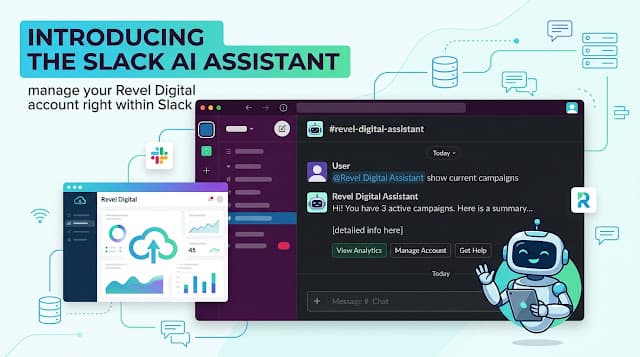
Much of the work that touches digital signage doesn't actually happen in the CMS, it happens in communication tools like Slack. A store manager pings #ops because a lobby screen went dark. A marketing lead asks #content whether the new promo is live in the Phoenix locations yet. Someone in #it wants to know which players still haven't checked in this morning. Today, every one of those questions ends with someone alt-tabbing into the dashboard, clicking through a few screens, and pasting a screenshot back into the thread. We thought we could shorten that loop. Meet the Slack AI Assistant — a new Revel Digital integration that lets your team query and manage your signage network from inside Slack, in plain English. What it does Add the Revel Digital Assistant to a channel, mention it, and ask: @Revel Digital Assistant how many devices in the East Coast group are online right now? @Revel Digital Assistant what's currently scheduled on the lobby kiosk? @Revel Digital Assistant update the espresso price to $4.50 in the menu data table @Revel Digital Assistant send a synchronize command to all devices in the New York group The Assistant replies in the same Slack thread, formatted natively for Slack — no screenshots, no tab-switching. You can keep the conversation going by replying in the thread; the bot remembers context within each thread, so follow-ups don't need to restate everything. Switching topics? Start a new thread. Bring your own AI The Slack AI Assistant is built on a model we call BYO-LLM — bring your own large language model. Each user links their own Anthropic or OpenAI API key from a one-time setup page. The bot brokers the conversation between Slack and your Revel Digital account, but inference itself runs against your own provider account. Provider Where to get a key Recommended models Anthropic console.anthropic.com → Settings → API Keys Claude Sonnet, Claude Haiku OpenAI platform.openai.com → API keys GPT-5, GPT-5 mini Why we built it this way: Cost transparency. You pay your AI provider directly for the tokens you use. No markup, no opaque per-seat AI surcharge from us. For typical Slack usage this works out to a few dollars per user per month. Choice of model. Want to use a more capable model for analytical questions and a faster one for routine queries? Switch any time. Privacy boundary. Your prompts and your data flow through the AI provider you've already vetted, under contracts and terms you've already signed. No vendor lock-in. As new models ship, you can adopt them on day one without waiting for us to update an integration. The Slack integration itself is free. For most teams already using Anthropic or OpenAI elsewhere in the business, this means the Slack AI Assistant adds zero new vendor relationships and zero new line items on your bill. Safe by design: what the Assistant cannot do Conversational tools are powerful, and that power cuts both ways. A casual "delete that test playlist" is fine. A casual "delete all playlists older than six months" is a Friday afternoon you'd like to forget. So we drew a hard line. The Slack Assistant is read-and-write — it can create, update, query, and send individual device commands — but the following are blocked entirely from Slack, by design: Deleting datatables, datatable rows, devices, device groups, media, media groups, playlists, or schedules Batch-deleting datatable rows Sending bulk device commands that target every device at once If you need to do any of those, head to the Revel Digital dashboard, where the safeguards and confirmation patterns are already in place. Everything else flows through the Assistant. For non-destructive changes that still meaningfully alter your network — schedule edits, playlist updates, datatable rewrites — the Assistant will typically summarize the proposed change first so you can confirm or cancel before it commits. For more fine grained access control you can customize the permissions for AI tools account wide for limiting visibility into specific areas of your account. Built on the Revel Digital MCP server Under the hood, the Slack AI Assistant is powered by the same Revel Digital MCP server we shipped last summer. That means everything the AI agent can do through Claude Desktop or any other MCP-compatible client, it can now do from Slack: Device management — status checks, group operations, individual device commands, configuration updates Content operations — media library queries, playlist edits, scheduling Analytics — play log queries, AdHawk audience metrics, alert and audit trail review Datatables — query and update structured data driving menu boards, pricing, directories, and dynamic content If you've been using the MCP server from the desktop, the Slack AI Assistant is the same engine wearing a different interface — and one that your whole team can see. How this differs from the Slack Gadget We've had a Slack integration in the platform since 2024, and it's worth being clear that the new Slack AI Assistant is a separate, complementary feature. Slack Gadget (2024) Slack AI Assistant (new) Direction of flow Slack → Signage Slack ↔ Signage management What it does Posts your Slack messages on the screens Lets you operate the network from Slack Primary user Audience watching the signage Operations, IT, content teams Use case Corporate comms, employee shoutouts, event announcements Network management, troubleshooting, analytics The original Slack feature was primarily for getting your Slack messages delivered and displayed on signage. The new Slack Assistant is a more general purpose tool for account wide management. Privacy and security Credentials are encrypted at rest with AES-GCM — your Slack workspace token, your AI API key, and your Revel Digital access token. The bot only sees @mentions. Slack only delivers messages where the bot has been explicitly mentioned. It does not read your other channel content. Conversation history is per-thread and bounded. Recent messages within a thread are kept so the bot can answer follow-ups; older messages slide off automatically. Wipe a thread any time with /reveldigital reset, or wipe all credentials with /reveldigital unlink. Tokens rotate automatically. Slack and Revel Digital both issue refresh tokens; the integration rotates them in the background so you don't have to re-link. No training on your data. Your prompts are processed by your AI provider in real time and are never used to train any model. The Slack AI Assistant inherits the broader platform security posture: ISO/IEC 27001 certified infrastructure, with the OWASP Top 10 for LLM Applications as our threat model. Slash command reference Command What it does /reveldigital link Set up your AI provider and Revel Digital account /reveldigital status Show what's currently linked /reveldigital unlink Clear your stored credentials /reveldigital reset Clear the conversation history for the current thread Getting started Setup takes about five minutes: Add the app to Slack. Click the Add to Slack button at the top of the Slack AI Assistant article in our knowledge base. Run /reveldigital link in Slack. The bot replies with a private one-time link to a setup page where you'll paste an Anthropic or OpenAI API key, then sign in to your Revel Digital account. Invite the bot to a channel with /invite @Revel Digital Assistant. Mention it and ask a question. That's it. Run /reveldigital status any time to confirm both your AI provider and your Revel Digital account are linked. What's next The Slack AI Assistant is the second front-end we've shipped on top of the Revel Digital MCP server, after Claude Desktop. It won't be the last. If you operate digital signage and you've been waiting for a way to make routine network operations a part of the conversation your team is already having — this is it. We'd love to hear how you end up using it. As always, drop us a note at support@reveldigital.com or hit the feedback button in the dashboard.
Revel Digital
10 AI Agent Tasks That Eliminate the Busywork From Digital Signage
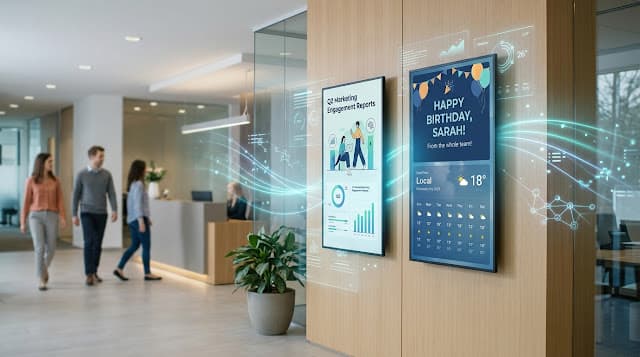
The birthday posts nobody remembers to update, the holiday content that goes stale, the weather messaging that's always a day behind, the engagement reports you never have time to pull? With Revel Digital's Scheduled Tasks, that's exactly what happens. You write a natural language prompt describing what you want done, set a schedule, and the AI agent handles it — whether that means generating content, updating playlists, analyzing performance, or flagging problems before they reach your inbox. This post is a practical playbook. Ten real-world tasks, each with a ready-to-use prompt you can copy directly into the Scheduled Tasks interface. No code. No design skills. Just describe the outcome you want and let the agent do the work. How Scheduled Tasks Work Navigate to Tools > Scheduled Tasks in the CMS and create a new task. You'll choose from several task types depending on what you need: Network Performance — Analyzes device health, uptime, and connectivity across your network. Can optionally auto-reboot unresponsive devices. Media Performance — Identifies which content is driving impressions and which isn't pulling its weight. Can auto-disable zero-impression content. Custom Prompt — Write any prompt you want and get an AI-generated analysis delivered via email on a schedule. Custom Prompt + Action — The most powerful option. Same natural language prompt, but the AI can also take action — creating content, updating playlists, modifying schedules, and managing your network autonomously. Each task runs on a cron-based schedule you define: hourly, daily, weekly, or any custom interval. Results are logged and auditable, and actions are always opt-in. Now let's get to the good stuff. 1. Employee Birthday Celebrations The tedium: Someone on the team maintains a spreadsheet. Someone else is supposed to check it every morning. Someone else is supposed to make a graphic. Half the time, the birthday gets missed entirely — or worse, it shows up a day late. Task type: Custom Prompt + Action · Schedule: Daily at 6:00 AM The prompt: Check the "Employees" Data Table for any rows where the birthday column matches today's date. For each match, create a celebratory media item with the headline "Happy Birthday, [Name]!" that mentions their department. Use a warm, upbeat tone. Publish each item to the "Lobby" and "Break Room" playlists and set it to expire at midnight tonight. If no birthdays match today, take no action. Why it works: The task runs before anyone arrives. Birthdays never slip through the cracks. Content expires automatically so yesterday's celebration doesn't linger on screen the next morning. And because the AI generates the message, each one feels personal — not like a mail-merged template. 2. Holiday Content That Stays Ahead of the Calendar The tedium: Somebody has to remember that Memorial Day is coming up, find or create appropriate content, get it scheduled, and then remember to pull it down afterward. Multiply that by every holiday, every location, every year. Task type: Custom Prompt + Action · Schedule: Weekly, Monday at 7:00 AM The prompt: Review the "Company Holidays" Data Table and identify any holidays occurring within the next 14 days. For each upcoming holiday, generate a countdown-style message — for example, "Memorial Day is in 5 days — thank you to those who served." Keep the tone respectful and inclusive. If the holiday is less than 3 days away, also generate a themed greeting suitable for display on the holiday itself. Publish all content to the "All Locations" playlist and set each item to expire on the day after the holiday. Why it works: One weekly task keeps your entire holiday content calendar running autonomously. The two-week lookahead means countdown content builds anticipation, and the auto-expiration means you never end up with a "Happy Fourth of July" graphic lingering into the following week. 3. Weather-Responsive Messaging The tedium: Weather changes faster than anyone can update signage. By the time someone notices it's raining and swaps in a rainy-day promotion, the sun is already back out. Task type: Custom Prompt + Action · Schedule: Every 4 hours The prompt: Get the current weather conditions and today's forecast for [your city]. Based on conditions, generate a short contextual message for a [retail/office/campus] environment: If temperature is below 20°F or there's a winter storm warning, create an urgent safety-focused message about road conditions and staying warm. If it's raining, generate an inviting message encouraging people to come inside — something cozy and welcoming. If it's sunny and above 75°F, write something upbeat that ties the good weather to the day's experience. If conditions are unremarkable, skip content generation entirely. Publish to the "Entrance" and "Storefront" playlists. Set all content to expire in 6 hours. Why it works: The AI doesn't just parrot the forecast — it reasons about the conditions and generates messaging that fits the context. The 4-hour cycle keeps content feeling current without overwhelming your playlist, and the conditional logic means screens stay clean on ordinary-weather days instead of displaying forced "It's 58 degrees and partly cloudy!" filler. 4. Audience Engagement Monitoring and Content Optimization The tedium: You have audience analytics data — impression counts, dwell times, demographic breakdowns — but actually sitting down to review it, figure out what's underperforming, and make changes? That's a quarterly project at best. Task type: Custom Prompt · Schedule: Weekly, Monday at 8:00 AM The prompt: Analyze audience impression and engagement data across all devices for the past 7 days. Identify the top 5 highest-performing content items by total impressions, and the bottom 5. For any content with zero impressions over the full week, flag it as a candidate for removal. For any device showing a significant drop in impressions compared to the prior week (more than 30% decline), flag it with possible causes — content staleness, scheduling conflicts, or potential device issues. Deliver the full analysis via email with specific recommendations for each underperformer. Why this matters: This is the kind of analysis that typically requires exporting data to a spreadsheet and spending an afternoon on it. The AI agent does it every Monday morning and drops a clear, actionable report in your inbox before your first meeting. You get the intelligence; you just don't have to do the legwork. 5. Automatic Content Retirement The tedium: Old content doesn't remove itself. Promotions that ended weeks ago, event announcements for things that already happened, seasonal imagery from two seasons back — it all piles up until someone does a manual audit. Task type: Media Performance (with actions enabled) · Schedule: Weekly The prompt (for Custom Prompt + Action alternative): Review all content currently active in my playlists. Identify any media items that have received zero impressions in the past 14 days. For each, disable the item and remove it from all playlists. Generate a summary of all changes made and email it to me. Why it works: The built-in Media Performance task type can handle the basics — flagging and disabling zero-impression content automatically. But if you want more nuanced logic (like checking metadata dates or distinguishing between intentionally paused content and genuinely stale content), the Custom Prompt + Action approach gives you full control over the criteria. 6. Network Health and Device Auto-Recovery The tedium: A player goes offline at your downtown location on Friday afternoon. Nobody notices until Monday. That's three days of a blank screen — or worse, a frozen screen showing Thursday's content. Task type: Network Performance (with actions enabled) · Schedule: Every 6 hours The prompt (for Custom Prompt + Action alternative): Check the status of all devices in my account. For any device that has been offline or unresponsive for more than 30 minutes, attempt a remote reboot. If a device has been offline for more than 24 hours and a reboot has already been attempted, send me an email alert with the device name, location, last known status, and the time it went offline. Do not attempt more than 2 reboots per device per day. Why it works: The Network Performance task type handles the common case well — it analyzes uptime trends and can auto-reboot unresponsive players. The Custom Prompt + Action version adds escalation logic: try the automated fix first, then alert a human if the problem persists. The reboot cap prevents an endless reboot loop on a device with a hardware issue. 7. Dynamic Menu and Pricing Updates The tedium: Your menu or pricing changes, and now someone has to manually update every screen in every location. For a restaurant chain or retail environment with frequent price changes, this can consume hours every week. Task type: Custom Prompt + Action · Schedule: Daily at 5:00 AM (before opening) The prompt: Check the "Menu Items" Data Table for any rows where the "last_updated" column is within the past 24 hours. For each updated item, find the corresponding content in the "Menu Board" playlist and update the displayed price and description to match the table. If a new row has been added to the table (an item with no corresponding content on screen), create a new media item for it using the existing menu board style and add it to the playlist. Generate a change log of all updates and email it to me. Why it works: Your source of truth is the Data Table — updated by your operations team, your POS integration, or an API. The AI agent handles the last mile: translating data changes into on-screen content changes, every morning, before the first customer walks in. 8. Content Performance A/B Analysis The tedium: You suspect your new promotional creative isn't performing as well as the old one, but comparing them requires pulling impression data, normalizing for time-of-day and location, and actually doing the analysis. So you never do it. Task type: Custom Prompt · Schedule: Weekly, Friday at 4:00 PM The prompt: Compare the impression and engagement performance of all content items added to any playlist in the past 30 days against content that has been running for 60+ days. For each new item, calculate its average daily impressions and compare against the playlist average. Identify any new content that is significantly underperforming (more than 40% below playlist average) and any that is outperforming. Provide a summary with recommendations — should underperformers be given more time, moved to different playlists, or retired? Why it works: This gives you a regular performance feedback loop without requiring anyone to build reports or query databases. The AI handles the comparison logic and even offers strategic recommendations. It's not just data — it's analysis with a point of view. 9. Work Anniversary and Milestone Recognition The tedium: Birthdays get attention; work anniversaries get forgotten. Tracking 5-year, 10-year, and 20-year milestones across a large organization means cross-referencing hire dates, calculating tenure, and creating appropriate content for each milestone tier. Most organizations simply don't bother. Task type: Custom Prompt + Action · Schedule: Weekly, Monday at 6:30 AM The prompt: Review the "Employees" Data Table and find any rows where the hire date anniversary falls within the next 7 days. Calculate each employee's tenure in full years. Generate milestone-appropriate recognition content: For 1-year anniversaries, use a welcoming tone: "Celebrating one year with [Company]!" For 5, 10, 15, or 20+ year milestones, use a more distinguished tone that acknowledges the significance, mentioning their role and department. For other years, generate a brief, warm acknowledgment. Publish each item to the "All Displays" playlist and schedule it to appear on the actual anniversary date, expiring the following day. Why it works: Milestone recognition matters for culture, and the AI's ability to modulate tone based on tenure length means a 1-year and a 20-year anniversary feel appropriately different. The weekly scan catches everything in advance. 10. Weekly Signage Network Executive Summary The tedium: Leadership wants to know if the signage network is healthy and delivering value. Pulling together a status report — device uptime, content performance, audience metrics, recent changes — takes time away from actual operations work. Task type: Custom Prompt · Schedule: Weekly, Friday at 3:00 PM The prompt: Generate a weekly executive summary of my digital signage network. Include: Total device count, number currently online, and overall uptime percentage for the week. Total content impressions across all locations, with a comparison to the prior week (up, down, or flat). The 3 highest-performing content items by impressions and the 3 lowest. Any devices that experienced downtime exceeding 2 hours this week, with root cause if available. Any scheduled tasks that ran this week, with a one-line summary of each result. A brief recommendation section: one thing that's working well and one area for improvement. Format the summary as a clear, scannable email suitable for forwarding to leadership. Keep it under 500 words. Why it works: This turns your scattered operational data into a polished narrative — the kind of report that demonstrates ROI to executives. And it writes itself, every Friday, without anyone spending an afternoon compiling it. Combining Tasks for a Fully Autonomous Content Calendar Each of these tasks runs independently, but the real power emerges when you layer them together. A typical corporate deployment might run: 6:00 AM — Birthday and anniversary recognition content goes live 6:30 AM — Holiday countdown content updates for the week 7:00 AM — Weather-aware messaging refreshes Every 4 hours — Weather messaging cycles to stay current Every 6 hours — Device health check with auto-recovery Monday 8:00 AM — Engagement analysis report delivered via email Friday 3:00 PM — Executive summary generated and emailed That's a content operation that runs 24/7, adapts to real-world conditions, recognizes employees, retires stale content, monitors its own infrastructure, and reports on its own performance — all without a single manual content update. Getting Started All Scheduled Tasks — including all AI Analysis types — are available today to Revel Digital customers. If you're new to the platform, you can access everything through a free 30-day trial with no credit card required. To create your first AI agent task: Navigate to Tools > Scheduled Tasks in the CMS Click New Task and choose your task type Write your prompt using any of the examples above as a starting point Set your schedule using the visual cron editor Hit Run Now to test before enabling the schedule The prompts above are ready to use as-is, but they work best when you customize them for your environment — use your actual playlist names, reference your specific Data Table column names, and describe your brand's tone of voice. The more specific you are, the better the results. Your screens should work as hard as you do. Now they can.
Revel Digital
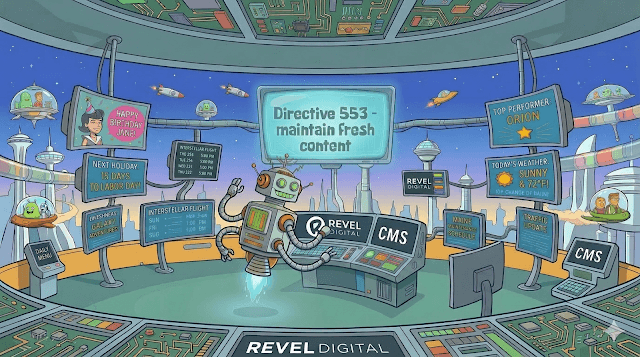
Always Fresh, Always Relevant: Using AI Tasks and Data Tables to Automate Your Digital Signage Content
AUTONOMOUS DIGITAL SIGNAGE — celebrating employee birthdays, recognizing top performers, surfacing today's weather forecast, and counting down to the next company holiday — all without anyone lifting a finger? With Revel Digital's Data Tables and the Custom Prompt + Action type in Scheduled Tasks, that vision is a reality today. Together, these two features form a powerful content automation engine — one that keeps your screens dynamic, timely, and relevant around the clock, without requiring constant manual input from your team. The Challenge: Keeping Signage Content Fresh Great digital signage is living content. But keeping it fresh is traditionally a labor-intensive process — someone has to remember to update the birthday shoutout, pull the latest BI stats, write the holiday greeting, and get it published before anyone notices it's stale. Most organizations manage this with manual content calendars, reminders, and a lot of last-minute scrambling. The result? Screens that feel outdated, miss moments that matter, and ultimately fail to engage the audience they're meant to reach. Revel Digital's combination of Data Tables and Scheduled Tasks with AI changes the equation entirely. How It Works: The Building Blocks Data Tables: Your Structured Content Store Data Tables in Revel Digital provide a spreadsheet-like interface for managing structured data directly within your CMS. Tables are stored in the cloud and are available to all templates and devices in your account — with real-time updates pushed to connected player devices within seconds of any change. No republishing required. The Data Tables section of the Revel Digital CMS, showing a list of existing tables with row counts and last-modified dates. Relevant column types for content automation include: String — employee names, recognition messages, event titles Date — birthdays, hire dates, event dates (YYYY-MM-DD format) Boolean — toggle flags such as “published” or “approved” Select — department, category, or status dropdowns Rich Text — formatted content ready to display on screen Media — linked assets from your Media Library for visual content Tables also support CSV import/export, REST and GraphQL API integration, version history with rollback, and row-level filtering with AND/OR logic — giving you full control over the data that powers your screens. Configuring a Data Table with String, Date, Select, and Boolean columns to store employee birthday and recognition data. Scheduled Tasks: Your Autonomous Content Engine Scheduled Tasks (found under Tools > Scheduled Tasks in the CMS) let you automate recurring operations across your signage network using a configurable cron-based schedule. Tasks can target all devices or a specific subset, and run on any schedule you define — hourly, daily, weekly, or on a custom cron expression. The Scheduled Tasks dashboard showing task names, types, schedules, last run times, and enable/disable controls. For content automation, the key task type is AI Analysis > Custom Prompt + Action. This task type combines the reasoning power of large language models with the ability to take automated actions on your behalf. You write a natural language prompt describing what you want the AI to do — including what data to look at and what content to generate or publish — and the scheduled task handles the rest on whatever cadence you define. Unlike the standard AI Analysis types that deliver insights via email, the Custom Prompt + Action type can take real, automated actions: creating or updating content, managing playlists, triggering schedule changes, and more — all driven by your prompt and your data. Creating a new Scheduled Task in the CMS with AI Analysis selected as the task type and Custom Prompt + Action chosen from the Analysis Type dropdown. What You Can Automate The following scenarios can all be powered by a Data Table as the data source and a Custom Prompt + Action Scheduled Task as the automation engine: Use Case Data Table Source Scheduled Task (Custom Prompt + Action) Employee Birthdays Employee table with name, birthday, department Daily — find today's birthdays, generate greeting, publish to screens Work Anniversaries HR table with name, hire date, role Weekly — scan for upcoming milestones, create recognition content Peer Recognition Nominations table with nominee, message, approved flag Daily — publish approved nominations to lobby/common-area displays Upcoming Holidays Holiday table with name, date, description Weekly — generate countdown or themed content for the coming week Current Weather Weather data (fetched by AI or via API-synced table) Hourly or daily — generate contextual messaging based on forecast New Hire Spotlights Onboarding table with new employee details Triggered on new records — publish welcome content to screens Sales Leaderboards CRM-synced Data Table with rep names and metrics Daily — generate ranked leaderboard content from latest data Menu / Pricing Updates Product or menu Data Table On schedule or on-demand — refresh displayed pricing and availability A Closer Look: Three Automation Scenarios Scenario 1: Employee Birthday & Anniversary Recognition Data Table setup: An employee table with columns for name (String), department (Select), birthday (Date), and hire date (Date). Scheduled Task: A daily Custom Prompt + Action task runs each morning. The prompt instructs the AI to query the employee table for any birthday or anniversary matches for the current date, generate a personalized on-screen message for each match, and publish it to the appropriate playlist. Content expires automatically at end of day. The result: no one has to remember. Nothing slips through. Every employee gets their moment, every time. Scenario 2: Peer-to-Peer Recognition Programs Data Table setup: A nominations table fed by a web form or HR platform integration, with columns for nominee name, department, recognition message, nominator, and an approved (Boolean) flag. Scheduled Task: A daily Custom Prompt + Action task scans for approved, unpublished nominations, crafts a polished recognition post using the nomination details, and schedules it for the next available content slot on lobby and common-area playlists. The result: recognition happens in real time, without involving your content team in every post. Scenario 3: Weather-Aware & Holiday Content Data Table setup: A holiday and events table with upcoming dates, names, and messaging themes. Weather data can be maintained in a separate table updated via API, or the AI prompt can be written to fetch and reason about current conditions directly. Scheduled Task: An hourly or daily Custom Prompt + Action task generates contextually relevant content — a rainy-day promotion for a retail location, a pre-holiday countdown for an office lobby, a weather briefing for a school or transit display. The AI writes copy that feels natural and on-brand, and publishes it to the right playlists automatically. The result: screens that respond to the real world in real time, without any manual publishing step. Why This Matters for Your Organization No more stale content. Scheduled Tasks ensure screens are always showing something relevant and timely — not a holiday graphic that's six weeks past. Fewer manual touchpoints. Your content team can focus on strategy and creative work rather than repetitive publishing tasks. Consistent brand voice. AI-generated content follows your tone and style guidelines, so every birthday message, weather update, or recognition post sounds like it came from the same author. Scalability. Whether you manage 5 screens or 500, the same automation rules apply. Content scales with your organization without adding headcount. Meaningful employee experiences. Timely recognition and personalized moments on digital displays reinforce culture and engagement in ways that generic static content simply cannot. Getting Started Setting up your first automated content workflow takes just a few steps: Create your Data Table — Navigate to Data Tables in the CMS. Define columns relevant to your use case: employee names, birthdays, recognition messages, event dates, or any other structured data you want to drive your screens. Populate your table — Add rows manually, bulk-import via CSV, or connect an external system through the REST or GraphQL API for continuous data sync. Create a Scheduled Task — Go to Tools > Scheduled Tasks and click New Task. Choose AI Analysis as the task type, then select Custom Prompt + Action. Write your prompt — Describe exactly what you want the AI to do: which table to read, what logic to apply (e.g., “find rows where the birthday column matches today's date”), and what action to take (e.g., “generate a personalized greeting and publish it to the Lobby playlist”). Set your schedule — Use the visual cron editor to define how often the task runs. Daily tasks are ideal for birthdays and recognition; hourly works well for weather-based content. Enable and test — Save the task, then use the Run Now button to verify it works as expected before relying on the schedule. Your screens stay fresh from that point forward, automatically. The visual cron editor inside a Scheduled Task, showing a daily schedule set to run at 6:00 AM. Example Custom Prompts to Get You Started The Custom Prompt + Action task is only as powerful as the prompt you give it. Here are ready-to-use examples for each major use case — copy, adapt, and make them your own. Employee Birthdays Runs daily. Data Table: employee records with name, department, and birthday (Date column). Check the Employees Data Table for any rows where the birthday column matches today's date. For each match, create a new media item using a friendly, upbeat tone that celebrates the employee by name and mentions their department. Use the headline "Happy Birthday, [Name]!" and include a warm one-sentence message. Publish the generated content to the "Lobby" and "Break Room" playlists. Set the content to expire at midnight tonight. Work Anniversaries Runs weekly (Monday mornings). Data Table: employee records with name, role, department, and hire date (Date column). Review the Employees Data Table and find any rows where the hire date anniversary falls within the next 7 days. Calculate how many years each employee has been with the company. For each match, generate a recognition message that acknowledges the milestone — for example "5 Years Strong!" or "Celebrating 10 Years with Us!" — and includes the employee's name and role. Publish each message to the "All Displays" playlist and schedule it to show on the actual anniversary date. Peer-to-Peer Recognition Runs daily. Data Table: nominations with nominee name, department, message, nominator name, and an approved (Boolean) column. Query the Recognition Nominations Data Table for rows where approved is true and the content has not yet been published to screens. For each unpublished nomination, generate a visually engaging recognition announcement that includes the nominee's name, their department, and the recognition message provided by their nominator. Keep the tone warm and celebratory. Publish each announcement to the "Lobby" playlist and then update the row's published field to true so it is not posted again. Upcoming Holidays Runs weekly (Monday mornings). Data Table: holidays with name, date, and optional theme or messaging notes. Look up any holidays in the Company Holidays Data Table that fall within the next 14 days. For each upcoming holiday, generate a countdown message that includes the holiday name and number of days remaining — for example "Thanksgiving is in 5 days — enjoy the time with family!" Keep the tone friendly and inclusive. Publish the content to all playlists and schedule it to expire on the holiday date. Weather-Aware Promotions Runs daily or hourly. No Data Table required — the AI fetches current weather conditions directly in the prompt. Get the current weather conditions and today's forecast for [your city]. Based on the conditions, generate a short, relevant on-screen message for a retail environment. If it is cold or snowing, write something warm and inviting that encourages customers to come inside and browse. If it is sunny and warm, write an upbeat message that ties the good weather to the in-store experience. Keep the copy to two sentences maximum. Publish to the "Storefront" playlist and set it to expire in 4 hours. New Hire Spotlight Runs daily. Data Table: onboarding records with name, role, department, start date, and a welcomed (Boolean) column. Check the New Hires Data Table for any employees whose start date is today or within the past 3 days and whose welcomed column is false. For each match, create a warm welcome announcement that includes their name, role, and department — for example "Please join us in welcoming Sarah Chen, our new Marketing Coordinator!" Publish the announcement to the "Lobby" and "All Floors" playlists for 3 days, then update the welcomed column to true so the message is not repeated. Tip: The more specific your prompt, the better the output. Include column names exactly as they appear in your Data Table, name the playlist you want to target, and specify any expiration or scheduling behavior you need. You can always use the Run Now button to test a task immediately and verify the results before enabling it on a recurring schedule. Playlist autonomously populated with images based on employee birthdays data table. Pro Tip: Combine multiple Scheduled Tasks for a fully autonomous content calendar. One task handles employee recognition, another generates weather-aware promotions, and a third creates holiday countdowns. Each task runs independently on its own schedule, but together they ensure your screens always have something fresh and relevant — no content manager required. The Future of Signage Is Autonomous Digital signage has always been about delivering the right message at the right time. Scheduled Tasks with Custom Prompt + Action and Data Tables simply automate the judgment required to do that well — pulling from your structured data, reasoning about context, generating content, and taking action without human intervention. For organizations that want screens that actually work hard — not just display static slides — this combination is a game-changer. It turns your digital signage infrastructure into a living, breathing communication layer that responds to your world in real time. Ready to see it in action? Log into the Revel Digital CMS to explore Data Tables and Scheduled Tasks, or reach out to our team for a guided walkthrough.
Revel Digital

What If Your Digital Signage Could Just… Figure It Out?
Introducing the Revel Digital AI Suite — six tools to help you create, schedule, manage, and optimize your signage network. If you've ever managed digital signage, you know the routine. You need a new layout, so you wait on a designer. You need a schedule change, so you dig through configuration screens. You need to know why a display went dark at your downtown location last Tuesday, so you start running reports. Every task feels like it requires a different skill set or a different person. We built the Revel Digital AI Suite to change that. It's a set of six AI-powered capabilities — all built directly into the platform — that let you handle the entire signage workflow through conversation. Describe what you want, and the platform does the rest. Here's what's included and why it matters. Create Templates by Describing Them AI Template Creation lets you build complete, multi-zone template layouts just by telling the AI what you need. Something like: "Create a restaurant menu board with a daily specials zone at the top, main menu items in the center, and a weather widget at the bottom." Professional looking template design is as easy as asking for what your after. The AI generates the layout, complete with custom imagery. Don't like the color scheme? Just say so. Want to move a content zone? Tell it. You can also upload a sketch, screenshot, or mockup and the AI will recreate it as a working template. No design software required — just a back-and-forth conversation until it looks right. Generate Images Without the Stock Photo Headache Need a hero image for a promotion? A background for a lobby display? AI Image Generation creates custom visuals from a text prompt. Describe what you're looking for — "Modern coffee shop interior with warm lighting and wooden furniture" — and get a unique image you can drop straight into your templates, playlists, or media library. Continually revise and iterate until you get the perfect image. No subscriptions, no licensing headaches, no sifting through thousands of generic stock photos. Every generated image is yours to use. Build Complex Schedules in Plain English Scheduling is one of those things that sounds simple until you actually try to set up dayparting across multiple locations with different rules for weekdays and weekends. It gets complicated fast. AI Smart Scheduling lets you skip the complexity. Just describe what you want: "Show breakfast menu from 6–11am on weekdays, lunch from 11am–2pm, and dinner specials after 5pm on Fridays and Saturdays." The AI translates that into the underlying logical conditions automatically. This capability is unique to Revel Digital — no other platform turns natural language into scheduling logic like this. Add Advanced Functionality Without Writing Code Want a live counter that pulls data from an API? A custom animation? An interactive touch-screen feature? Normally that means hiring a developer or learning JavaScript. AI Template Scripting handles it for you. Describe the behavior you want — "Create a counter animation that shows real-time customer count from our API, updating every 30 seconds with a smooth transition" — and the AI generates the code. You get advanced functionality without needing to understand what's happening under the hood. Ask Your Network Anything Managing a signage network means keeping track of a lot of moving parts — device status, content performance, audience engagement, alerts, audit trails. That information is all in the platform, but getting to it usually means navigating dashboards and running reports. AI Account Assistant gives you a faster way. Just ask: "Show me which displays went offline in the last 24 hours and what content was playing before they disconnected." The assistant pulls data from across your entire network and gives you a clear answer in real time. Think of it as a conversational interface to everything happening across your signage operation. The Account Assistant can help diagnose network issues, analyze media performance, and even create and schedule content. Get Automated Insights Delivered to Your Inbox AI Analytics takes things a step further by letting you schedule recurring AI-powered analysis jobs. Define a prompt — "Every Monday morning, analyze last week's audience impressions across all locations and email me a summary with recommendations for underperforming screens" — and the platform runs that analysis on a schedule and delivers the results via email. This is especially powerful for DooH operators who need to continuously optimize network performance and demonstrate ROI to advertisers. Instead of pulling reports manually, the insights come to you. An Always-On Agent That Takes Action for You Here's where things get really interesting. The six capabilities above aren't just standalone tools — they work together as a closed-loop system. Revel Digital's AI agent can take action on your behalf, autonomously responding to changing conditions across your network. Automated AI agents can provide network analysis and even take corrective actions autonomously. A few examples of what that looks like in practice: "Check for upcoming holidays and update the lobby playlist with seasonal imagery and messaging." "Analyze audience demographics for our retail displays and reweight playlists toward the highest performing content for each demographic." "Check for any devices that have recently gone offline and attempt to restart them." This isn't AI that waits for you to ask — it's an always-on agent that keeps your network running efficiently, even when you're not watching. Try It Yourself The full AI suite is available now to all Revel Digital customers, and it's included in our free 30-day trial — no credit card required. If you're tired of the manual work that comes with managing digital signage, this is worth a look. Start your free trial → Schedule a demo → More information available on our website →
Revel Digital

Revel Digital Now Supports Amazon Remote Management API 🚀
We're thrilled to announce that Revel Digital is among the first CMS providers to support Amazon's new Remote Management API for the Amazon Signage Stick! This integration brings powerful new capabilities to our customers managing Signage Stick deployments: 📊 Real-Time Hardware Monitoring Keep tabs on CPU usage, temperature, memory, storage capacity, and Wi-Fi signal strength—all from the Revel Digital dashboard. Proactively identify issues before they impact your displays. 📺 CEC Display Control Take control of your connected displays remotely. Power screens on/off, adjust brightness, and manage volume without leaving your desk. Perfect for reducing energy costs and extending display lifespan. 🔧 Remote Management Tools Capture screenshots to verify content, restart devices, clear cache, or perform factory resets—no site visits required. Maximize uptime and minimize operational overhead. 🔍 Device Identification Quickly access serial numbers, MAC addresses, and IP information for streamlined troubleshooting and asset management. Combined with the Amazon Signage Stick's enterprise-grade features—4K streaming, WiFi 6E connectivity, kiosk mode, and secure boot—Revel Digital delivers a complete professional signage solution at an accessible price point. Ready to simplify your signage operations? 🔗 Learn more about Revel Digital + Amazon Signage Stick: https://www.reveldigital.com/amazon-signage-stick 🔗 Amazon Remote Management API details: https://signage.amazon.com/remote-management #DigitalSignage #AmazonSignage #RemoteManagement #RevelDigital #SignageTechnology #DOOH
Revel Digital
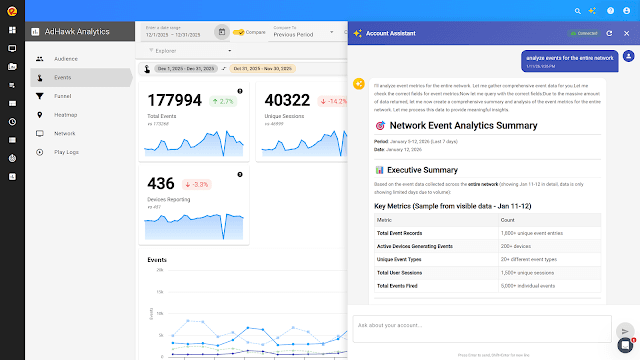
Platform Update (1.10.0.0)
Introducing Account Assistant and Theme-Based Template Generation We’re kicking off 2026 with a significant platform update that brings powerful new AI capabilities to Revel Digital. Version 1.10.0.0 introduces tools designed to help network administrators, DooH operators, and content managers work more efficiently than ever. ✨Account Assistant The headline feature in this release is the new Account Assistant—an AI-powered analysis tool that provides instant insights into your digital signage network. Rather than navigating through multiple dashboards and reports, you can now ask questions in plain language and get immediate answers about your account. Account Assistant can analyze: Network health — Quickly identify offline devices, connectivity issues, or players that need attention Scheduling — Review upcoming content schedules, spot conflicts, or verify that campaigns are properly configured Playlists — Understand playlist composition, duration, and content distribution across your network Analytics — Surface key metrics about impressions, engagement, and playback statistics Users — Review account access, permissions, and recent activity Sample Use Cases Here are some examples of how Account Assistant can streamline your daily operations: Network Monitoring “Which devices have been offline for more than 24 hours?” “Show me any players with high CPU usage or memory warnings.” “Provide a summary of my network alerts over the last week.” “Are there any devices that haven’t reported in since yesterday?” Schedule Management “What content is scheduled to play on the lobby displays next week?” “Do I have any scheduling conflicts in the retail zone?” “Which schedules are set to expire this month?” Content Insights “How many times did our promotional video play last week?” “Which playlists contain the image named Holiday Break?” “What’s the average playlist duration across my restaurant locations?” “Which media files aren’t being used in any active playlists?” Account Administration “When was the last time each user logged in?” “Show me a summary of user activity across the account.” “Are there any users that do not have 2FA enabled?” Use the Account Assistant to quickly summarize important information on most any aspect of your network Whether you’re troubleshooting an issue, preparing for a campaign launch, or simply trying to understand what’s happening across your network, Account Assistant gets you answers in seconds rather than minutes. Enhanced Template Generation with Themes Building on our AI-powered template generator, this release introduces Themes—a way to ensure your AI-generated content stays consistent with your brand identity. Creating a Theme is straightforward: submit a URL to any website, and the Theme Generator will analyze the page to extract colors, fonts, icons, and general visual styling. You can create multiple Themes for different brands or campaigns, then select the appropriate one when generating new templates. Extract a theme from a website, or create a custom theme This means when you ask the AI to create a menu board, promotional display, or informational screen, the output will automatically reflect your brand’s visual language rather than generic styling. It’s particularly useful for agencies managing multiple clients or organizations with distinct sub-brands. Selecting a theme during template generation will help to ensure consistency across your template designs Additional Updates This release also includes security enhancements and general UX improvements throughout the platform. While these updates work quietly in the background, they contribute to a more secure and responsive experience. Thank you for using Revel Digital. We’re looking forward to an exciting year ahead with more enhancements on the way. As always, if you have questions or feedback, our support team is here to help.
Revel Digital
Need a new years countdown? No problem, just ask!
The countdown to 2026 is on and if your looking for a countdown to embed in your digital signage it's as simple as asking for it. Our template generator is able to build just about any layout, in any style, in a matter of seconds. In this case simply ask the generator something like "craft a countdown to 2026 layout". Use our AI template generator to create your NYE countdown If the initial design is not to your liking simply ask again for maybe a different color scheme, background image, font style, etc. Once your happy with the AI generation simply accept the design and your template is ready to schedule. Of course you can always modify the template any time with the template designer. Here's a video demonstrating the entire process. Don't forget to checkout our other AI tools for scheduling, image generation, MCP server, and more. We hope you have a great new year and we look forward to providing more great features in 2026!
Revel Digital

Platform Update (1.9.4.0)
We're excited to announce the release of Revel Digital platform version 1.9.4.0, bringing enhanced functionality, improved user experience, and powerful new features to help you maximize your digital signage deployment's potential. What's New in Version 1.9.4.0 Expanded Localization: Three New Languages Added Building on our existing multi-language support, version 1.9.4.0 introduces three exciting new language options, significantly expanding Revel Digital's global accessibility: New Language Support Added: Português (Portuguese) - Complete localization for Brazilian and European Portuguese markets Français (French) - Full French language interface for our francophone users Deutsch (German) - Comprehensive German localization for the DACH region Existing Language Support: English, Español (Spanish), Русский (Russian), and 中文 (Chinese) This expansion brings our total language support to seven languages, making Revel Digital accessible to an even broader international audience. Users in Europe, Latin America, and other Portuguese and French-speaking regions can now navigate and manage their digital signage networks in their native language, improving usability and reducing implementation barriers. The new language options are seamlessly integrated into the platform interface, allowing users to easily switch between languages based on their preferences or regional requirements. Automated Task Scheduling: Streamline Your Digital Signage Operations Version 1.9.4.0 introduces a new Scheduled Tasks feature that enhances how you manage your digital signage network. This automation capability allows you to schedule various operations to run at predetermined intervals, reducing manual administrative work. Schedule automated tasks Key Scheduled Task Types: Send Commands - Automate device commands and configurations Device Reboots - Schedule regular device restarts for optimal performance Report Generation - Automatically generate and distribute reports on specified schedules Features Include: Flexible scheduling with cron-like syntax support Real-time task status monitoring (Enabled/Disabled) Complete task history with "Last Run" and "Next Run" tracking Easy task management with start, stop, and delete actions Account timezone-based scheduling for accurate execution timing This feature is particularly useful for network administrators managing large-scale deployments, enabling proactive maintenance, regular reporting, and consistent device management without manual intervention. Tasks can be created, modified, and monitored through the new Scheduled Tasks interface accessible from the main configuration panel. MCP Server and AI Agent Integration: Natural Language Digital Signage Management Version 1.9.4.0 introduces support for the Revel Digital MCP Server, enabling AI-powered management of your digital signage infrastructure through natural language commands. This integration with the Model Context Protocol (MCP) allows you to control your digital signage network using conversational AI. Key Capabilities: Natural Language Control - Manage complex operations through simple conversational commands Headless CMS Functionality - Enable programmatic control without traditional UI constraints Multi-Platform Compatibility - Works with Claude Desktop, BoltAI, and other MCP-compatible AI assistants Open Source - Available on GitHub for community contributions and customization AI Agent Functions Include: Device management and monitoring Content operations and media library management Automated scheduling and campaign setup Analytics and reporting access Real-time system monitoring and troubleshooting Example Usage: Instead of navigating multiple dashboard screens, you can now use commands like: "Show me all online devices and their current status" "Create a new playlist called 'Holiday Promotions' with all holiday-themed images" "Schedule the morning announcements to run on lobby displays weekdays from 9 AM to 6 PM" This feature is particularly beneficial for teams managing multiple locations or complex scheduling requirements, as it reduces the learning curve for new users and enables efficient network management through AI assistance. The MCP server requires API credentials from your Revel Digital account and can be configured with various AI platforms for seamless integration. Enhanced Developer Tools: Simplified Gadget and Webapp Development Version 1.9.4.0 introduces significant improvements to developer tools, making it easier to create and publish custom gadgets and webapps for the Revel Digital platform. These enhancements streamline the development workflow and provide better integration capabilities. Key Developer Enhancements: Updated Revel Digital Client SDK - Enhanced JavaScript library for seamless player/client integration New Gadgetizer CLI Tool - Command line utility for rapid SDK integration with existing projects Multi-Framework Support - Compatible with Angular, React, Vue, and vanilla JavaScript Simplified Publishing Process - Streamlined workflow for deploying custom applications Improved Development Tools - Better debugging and testing capabilities for gadgets and webapps Enhanced Documentation - Comprehensive guides and examples for faster development Revel Digital Client SDK Updates: The updated client SDK, available on NPM, provides developers with: Simplified player interface integration Access to player-specific information and functionality Better error handling and debugging capabilities Enhanced compatibility with modern web development frameworks New Gadgetizer Command Line Tool: The new Gadgetizer CLI tool, available on NPM, enables quick integration of the Revel Digital client SDK with new or existing projects: Framework Compatibility - Works with Angular, React, Vue, and vanilla JavaScript projects Rapid Setup - Quickly scaffold new gadgets or integrate SDK into existing applications Development Acceleration - Reduces setup time and boilerplate code requirements Best Practices - Automatically implements recommended integration patterns Benefits for Developers: Faster time-to-market for custom digital signage applications Reduced complexity in player integration and project setup Better separation of concerns between UX development and network management Improved testing and deployment workflows Framework-agnostic development approach These improvements make it easier for development teams to create sophisticated digital signage applications while maintaining the enterprise-grade reliability and security that Revel Digital provides. Security and Compliance Revel Digital remains committed to maintaining the highest security standards. Our ISO 27001 certification ensures that your digital signage infrastructure operates with enterprise-grade security protocols. Performance and Reliability As part of our standard development practices, we have ensured our tooling and project dependencies are up-to-date with current patches. This ensures our software is at its best both in terms of performance and security. Looking Ahead This update represents our ongoing commitment to providing the most advanced, user-friendly digital signage platform available. We continue to invest in AI-powered features, enhanced analytics, and streamlined content management to help businesses of all sizes succeed with digital signage. Support and Resources Documentation: Visit our support center for detailed guides and tutorials Developer Resources: Check out our developer documentation for API and integration information Thank You As always, we appreciate your continued support and feedback. If you have questions about the new features or need assistance with your digital signage deployment, our support team is ready to help. Ready to experience the latest Revel Digital platform features? Start your free trial today or contact our team to learn more about how Revel Digital can transform your digital communication strategy. About Revel Digital Revel Digital is a next-generation platform for digital signage and media distribution, offering cloud-based management with enterprise-class features. Our platform supports Android, Windows, BrightSign, and Linux devices, providing unlimited design capabilities, powerful audience analytics, and ISO 27001 certified security. Trusted by thousands of businesses worldwide, Revel Digital delivers the tools necessary for successful digital signage deployments of any size.
Revel Digital

Introducing the Revel Digital MCP Server: AI-Powered Digital Signage Management
We're announcing the preview release of the Revel Digital MCP Server, a groundbreaking integration that brings the power of AI agents to digital signage management. This new tool transforms how you interact with your digital signage infrastructure by enabling natural language control through the Model Context Protocol (MCP). Revolutionizing Digital Signage with Headless CMS Capabilities The Revel Digital MCP Server represents a paradigm shift in digital signage management. By exposing our comprehensive REST API through MCP, we've enabled true headless CMS functionality that can be controlled entirely through AI agents. This means you can now manage your entire digital signage network using conversational AI, making complex operational tasks as simple as describing what you want to accomplish. What Makes This Special? Conversational Control: Transform complex API calls into natural language commands. Instead of navigating through multiple dashboard screens or writing API scripts, simply tell your AI assistant what you need. Headless Architecture: Leverage Revel Digital as a headless CMS, allowing AI agents to programmatically manage content, schedules, devices, and analytics without traditional UI constraints. Universal AI Compatibility: Works with popular AI platforms including Claude Desktop, BoltAI, and any other MCP-compatible AI assistant. Key Capabilities Through the MCP server, AI agents can help you: Device Management: Monitor device status, configure settings, and deploy updates across your network Content Operations: Upload media, create playlists, and manage digital assets Schedule Automation: Set up complex scheduling rules and campaigns Analytics & Reporting: Access performance data and generate insights Real-time Monitoring: Track system health and troubleshoot issues Getting Started with Claude Desktop Setting up the Revel Digital MCP Server with Claude Desktop is straightforward. Here's a complete example: Configuration (Claude Desktop) You can find the MCP server config in the Claude Desktop settings under the Developer section. Click the Edit Config button to open the file. Configure Claude Desktop to utilize the Revel Digital MCP server Or, locate and edit your Claude Desktop configuration file directly from these locations: macOS: ~/Library/Application Support/Claude/claude_desktop_config.json Windows: %APPDATA%\Roaming\Claude\claude_desktop_config.json Add the server configuration: { "mcpServers": { "revel-digital": { "command": "npx", "args": ["@reveldigital/reveldigital-mcp-server@latest"], "env": { "API_KEY_APIKEYINHEADER": "your-revel-digital-api-key-here" } } } } Usage Example Once configured, restart Claude Desktop and you can start managing your digital signage with natural language: You: "Show me all my online devices and their current status" Claude: Uses the MCP server to fetch device data and provides a formatted summary of all online devices, their locations, last check-in times, and current playlist status. You: "Create a new playlist called 'Holiday Promotions' and add all images from my media library that have 'holiday' in the name" Claude: Creates the playlist, searches your media library for holiday-themed content, and adds matching items to the new playlist. You: "Schedule the Holiday Promotions playlist to run on all lobby displays from December 1st through January 2nd, Monday through Friday, 9 AM to 6 PM" Claude: Sets up the scheduling rules and applies them to the appropriate device group. Beyond Basic Management: AI Agent Ecosystem The true power of the headless CMS approach becomes apparent when combining multiple AI agents to create comprehensive workflows. Here's an example of how different agents can work together: Multi-Agent Workflow Example Scenario: Creating a complete promotional campaign for a restaurant chain Step 1 - Content Creation Agent: You: "Create a promotional image for our new winter menu featuring warm soups and seasonal ingredients" AI image generation agent creates custom promotional graphics Step 2 - Content Sourcing Agent: You: "Find high-quality stock photos of winter comfort foods that match our brand aesthetic" AI agent searches stock photo databases and curates appropriate images Step 3 - Revel Digital Integration: You: "Upload these images to my Revel Digital media library, create a playlist called 'Winter Menu 2025', and schedule it to display on all restaurant locations during lunch hours" Claude with Revel Digital MCP server handles the technical implementation API Credentials Setup You'll need API credentials from your Revel Digital account which the MCP server uses to perform its actions: Log into your Revel Digital dashboard Navigate to Account Information > Developer API Generate an API key Use this key in your MCP server environment configuration Here be Dragons🐉 Note that AI can and will interpret your requests in sometimes unexpected ways. This includes the ability to move and/or delete devices, media, etc. It's recommended to always restrict the permissions of the API role to read-only when not expecting to utilize AI for updates or deletes. Restrict your API role to read-only when testing, or not utilizing read/write operations The Future of Digital Signage Management This release represents more than just a new tool—it's a glimpse into the future of digital signage management. By combining AI agents with our robust CMS platform, we're enabling: Reduced Learning Curves: New team members can manage complex signage networks through natural conversation Increased Efficiency: Automate routine tasks and complex workflows through AI-driven processes Enhanced Accessibility: Make digital signage management accessible to non-technical users Scalable Operations: Manage large networks more effectively with AI assistance Open Source The Revel Digital MCP Server is open source and available on GitHub. We encourage community contributions and feedback as we continue to expand its capabilities. GitHub Repository: https://github.com/RevelDigital/reveldigital-mcp-server Developer Resources For complete documentation, authentication details, and advanced configuration options, visit our developer portal: 🔗 https://developer.reveldigital.com The developer portal includes: Complete REST API documentation Authentication and security guidelines Code examples and SDKs Integration best practices Get Started Today Ready to transform your digital signage management experience? Install the Revel Digital MCP Server today and discover the power of AI-driven CMS operations. Whether you're managing a single display or a global network, our MCP server makes complex tasks simple and routine operations effortless. Join us in ushering in the next era of digital signage management—where AI agents and headless CMS architecture combine to create unprecedented efficiency and capability. For support and questions, visit our support site or contact our developer support team. We're excited to see what you build with this new capability!
Revel Digital
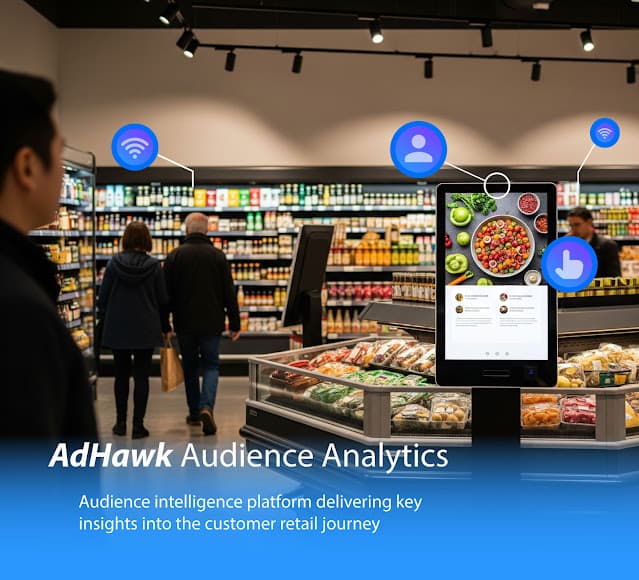
From Proximity to Purchase: How Revel Digital's AdHawk Analytics Transform Customer Journey Insights
In today's competitive retail landscape, understanding your audience isn't just about knowing who walks through your doors—it's about comprehending the entire customer journey from the moment someone enters your vicinity to the point of purchase. Revel Digital's AdHawk audience analytics platform provides unprecedented insights into this journey, with comprehensive data visualization and reporting tools built directly into the Revel Digital CMS, enabling businesses to optimize their digital signage strategy and maximize ROI. The Evolution of Audience Measurement Traditional retail analytics often miss the crucial early stages of customer engagement. While point-of-sale systems capture transaction data and foot traffic counters provide basic visitor counts, there's typically a significant gap in understanding what happens between initial awareness and final purchase decision. Revel Digital's AdHawk analytics platform bridges this gap with sophisticated audience measurement capabilities that track and analyze customer behavior throughout the entire engagement funnel, with all data seamlessly integrated and visualized within the Revel Digital CMS. Mapping the Complete Customer Journey Stage 1: Proximity Detection and Initial Awareness The customer journey begins the moment someone enters the vicinity of your digital display or kiosk. AdHawk's geolocation reporting capabilities can detect when potential customers are in the area, providing the foundation for understanding your location's reach and attraction power. These insights are visualized in near real-time within the Revel Digital CMS through interactive maps and proximity heatmaps. Key Metrics: Geographic reach and coverage areas Peak proximity hours and patterns Location-based engagement opportunities Stage 2: Demographic Profiling and Targeting As customers move closer to your displays, AdHawk's advanced analytics engine begins building detailed demographic profiles. The platform's sophisticated reporting dashboards within the CMS analyze: Age Demographics: AdHawk's age detection algorithms provide detailed breakdowns that are instantly accessible through the CMS's intuitive charts and graphs, helping you understand whether your content resonates with young adults, seniors, or specific age groups. Gender Analytics: Real-time gender analysis is displayed through dynamic visualizations in the CMS, enabling content managers to see audience composition at a glance and adapt messaging accordingly. Temporal Patterns: AdHawk's hour-by-hour analysis reveals when different demographic groups are most active, with trend visualizations in the CMS allowing for strategic content scheduling based on historical patterns. It's important to note that face detection is not the same as face recognition. Revel Digital does not capture or store unique identifying facial information in order to ensure customer privacy. Stage 3: Engagement Depth Analysis AdHawk goes beyond basic demographics to measure actual engagement levels, with comprehensive visualization tools built into the Revel Digital CMS: Dwell Time Metrics: Average dwell time indicators are displayed through easy-to-read charts within the CMS, showing content effectiveness and audience interest levels. Longer dwell times often correlate with higher purchase intent. Interaction Frequency: For interactive displays, the CMS displays real-time interaction analytics through AdHawk's touch event visualization, providing insights into which content elements drive engagement through interactive charts and user flow diagrams. User flow diagrams describe the user journey Stage 4: Behavioral Pattern Recognition AdHawk's sophisticated reporting engine identifies behavioral patterns that indicate purchase intent, with all insights accessible through the Revel Digital CMS's comprehensive dashboard: Session Duration Trends: The CMS displays detailed session analytics from AdHawk, showing how long customers engage with different types of content through interactive timeline visualizations that help identify which messaging drives deeper interest. Peak Engagement Windows: AdHawk's temporal analysis tools within the CMS provide heat-map style calendars and time-based charts, enabling strategic timing of promotional content and calls-to-action when your audience is most receptive. AdHawk analytics tracking of events and session details Converting Insights into Revenue Dynamic Content Optimization Armed with real-time audience data from AdHawk, businesses can dynamically adjust their content strategy directly through the Revel Digital CMS: Demographic-Responsive Content: The CMS integrates with AdHawk's real-time analytics to automatically display age or gender-appropriate messaging based on current audience composition detected by the system Time-Based Campaigns: Schedule specific promotions during peak engagement windows identified through AdHawk's temporal analysis tools, with automated scheduling features built into the CMS Location-Specific Messaging: Tailor content based on geographic patterns and local preferences using AdHawk's location intelligence, all manageable through the CMS's centralized content management interface Strategic Decision Making AdHawk's comprehensive reporting within the Revel Digital CMS provides actionable insights for strategic decisions: Inventory Management: Understanding which demographics show interest in specific products through AdHawk's detailed analytics helps optimize inventory levels and product placement, with reports accessible directly in the CMS dashboard. Staff Scheduling: Aligning staff schedules with peak audience engagement times identified by AdHawk ensures optimal customer service delivery. Campaign Performance: AdHawk's detailed analytics enable precise measurement of campaign effectiveness and ROI calculation, with comprehensive performance dashboards integrated into the CMS for easy monitoring and optimization. AdHawk Technology: A Conversion Funnel Approach Revel Digital's AdHawk audience analytics platform is powered by five key technologies that work together to create a comprehensive conversion funnel, tracking critical analytics at each stage of the customer journey: The Digital Signage Conversion Funnel These technologies essentially create a conversion funnel specifically designed for digital signage environments, where each stage provides deeper insights into customer behavior and intent: Stage 1: Vicinity Awareness - WiFi MAC Harvesting Stage 2: Opportunity to See - Proximity Detection Stage 3: Attention & Demographics - Face Detection Stage 4: Active Engagement - Touch Event Tracking Stage 5: Conversion Measurement - Session & Conversion Tracking 1. WiFi MAC Harvesting: Top of the Funnel At the widest part of the conversion funnel, WiFi MAC harvesting captures the total addressable audience by detecting mobile devices in the vicinity of displays. This technology identifies the maximum potential reach of your digital signage, creating the foundation metric for all subsequent conversion calculations. Every unique MAC address represents a potential customer who could progress through your funnel. This is a course grained metric especially with many mobile devices rotating MAC addresses resulting in overcounting, however the idea is to get a general sense of activity in the area. 2. Proximity Detection: Qualified Prospects The funnel begins to narrow as proximity detection identifies which individuals move into actual viewing range, creating OTS (Opportunity to See) events. This stage filters the general vicinity traffic down to qualified prospects who have a genuine opportunity to engage with your content. The conversion rate from vicinity to OTS provides crucial insights into your location's ability to attract and draw potential customers. 3. Face Detection and Demographic Analysis: Engaged Audience Face detection technology captures the next critical funnel stage by confirming actual attention and engagement. This system not only validates that someone is actively viewing the display but also provides demographic profiling and dwell time measurement. The progression from proximity to face detection represents customers who have moved from mere opportunity to actual engagement, significantly increasing their likelihood of conversion. 4. Touch Event Tracking: Active Interaction For interactive displays, touch event tracking represents the highest level of engagement before conversion. Customers who progress to this stage have demonstrated clear intent by actively interacting with your content. This technology captures the quality and depth of interaction, providing insights into which content elements drive the strongest engagement and move customers closest to conversion. 5. Session and Conversion Tracking: Funnel Completion At the bottom of the conversion funnel, session and conversion tracking measures the ultimate success metric: whether engagement resulted in a desired outcome. This technology connects all previous stages to actual business results, enabling precise ROI calculation and conversion rate optimization across the entire customer journey. Funnel Analytics and Optimization This conversion funnel approach provides powerful analytics capabilities: Conversion Rate Analysis: Track progression rates between each funnel stage to identify optimization opportunities Funnel Drop-off Points: Identify where customers typically exit the journey and optimize those specific touchpoints Demographic Conversion Patterns: Understand which demographics progress furthest through the funnel Content Performance Impact: Measure how different content types affect funnel progression rates Temporal Conversion Trends: Identify peak conversion windows for different audience segments Integrated Intelligence These five technologies work in concert to create a complete conversion funnel picture. WiFi MAC harvesting establishes the total audience pool, proximity detection qualifies prospects, face detection confirms engagement, touch event tracking measures interaction depth, and session tracking measures final conversion outcomes. This integrated approach ensures that businesses can optimize not just individual touchpoints, but the entire customer journey from awareness to conversion. Measuring Success: Key Performance Indicators To maximize the value of audience measurement, focus on these critical KPIs: Engagement Rate: Percentage of proximity detections that result in meaningful interaction Conversion Funnel: Progression rates from proximity to attention to engagement to action Demographic Alignment: How well your actual audience matches your target demographics Content Performance: Which content types and formats drive the highest engagement rates Temporal Optimization: Identification of peak performance windows for different content types Implementation Best Practices Start with Clear Objectives Before deploying audience measurement, establish clear goals for what you want to achieve. Whether it's increasing dwell time, improving demographic targeting, or optimizing content performance, having specific objectives guides effective implementation. Integrate with Existing Systems Maximize value by integrating audience measurement data with your existing POS, inventory management, and customer relationship management systems. Regular Analysis and Optimization Audience measurement is most effective when used as part of an ongoing optimization process. Regular analysis of trends and patterns enables continuous improvement of your digital signage strategy. The Future of Customer Journey Analytics As technology continues to evolve, audience measurement capabilities will become even more sophisticated. Emerging trends include: Predictive Analytics: Using historical patterns to predict future customer behavior and optimize content preemptively Cross-Platform Integration: Connecting digital signage analytics with mobile apps, social media, and e-commerce platforms for complete customer journey mapping. Check out QRaaD for more information on the mobile capabilities of our platform. AI-Powered Insights: Advanced machine learning algorithms that automatically identify optimization opportunities and recommend strategic adjustments Conclusion: Transforming Data into Growth Revel Digital's AdHawk audience analytics platform represents a fundamental shift from intuition-based decision making to data-driven optimization. By providing comprehensive insights into the complete customer journey—from initial proximity detection through demographic analysis to final engagement measurement—all seamlessly integrated within the Revel Digital CMS, businesses can make informed decisions that drive real results. The ability to track and analyze the entire customer journey through AdHawk's sophisticated analytics, combined with the intuitive data visualization tools built into the CMS, transforms digital signage from a simple advertising medium into a sophisticated customer engagement and conversion tool. With AdHawk's comprehensive analytics platform accessible directly through the Revel Digital CMS, businesses can finally answer the critical question: "What happens between the moment a potential customer notices our display and the moment they make a purchase decision?" In an increasingly competitive marketplace, this level of insight isn't just valuable—it's essential for sustained growth and success. Ready to transform your customer journey analytics? Discover how Revel Digital's AdHawk audience measurement platform and sensor technologies can provide the insights you need to optimize engagement and drive conversions, all through an intuitive CMS interface. Contact us today to get started.
Revel Digital

🤖 AI Powered Content Scheduling
Adding to our suite of AI tools, we now support AI assisted schedule creation. As with our template and image generation tools, you can now simply provide a description of what you want scheduled and our AI agent does its best to accommodate. This is a great time saver, particularly when building complex schedules with multiple conditions. Generate with AI now available as a scheduling option The primary advantage of using AI for schedule (and template generation for that matter), is in its inherent knowledge of all the scheduling condition types (or in the case of template generation zone and gadget types). This saves you the trouble of identifying appropriate conditions for a schedule, applying the correct values for those conditions, and ultimately building the set of conditions necessary to achieve the desired outcome. That's not to say the AI agent will always get it 100% correct, but will certainly help with surfacing applicable conditions which can easily refined to meet your exact requirements. Here are a few examples: "Schedule the July 4th template on all devices in the Office group. Schedule it for 3 days before and on the 4th of July." AI provides an overview the suggested schedule Actual generated schedule ready for use "Play my coffee shop template starting next Monday. Play it from 7 AM to 6 PM every day except Sunday." Date and time ranges are determined automatically Generated schedule can always be refined after generation "I want to create a smart schedule for our summer promotional campaign in our shopping mall locations. We have new video content in the Summer Fest playlist. I'd like these to play on our outdoor displays during mall hours, which are 8 AM to 10 PM, Monday through Saturday. The campaign runs from June 1st to August 31st. We want to target young adults." More sophisticated schedule with a number of specific conditions to be met Actual generated schedule ready for use "I need to create a schedule for our holiday sale campaign at our downtown store locations (within 5 miles of downtown Minneapolis). We have a new animated holiday-themed template that I want to display on all screens in the electronics department. The sale runs from December 20th to January 5th, and store hours are 9 AM to 9 PM every day. However, I want the template to only show when there are at least 10 viewers in front of the screen, and the viewers are primarily adults (over 60% adult viewers)." Schedule taking advantage of audience analytics and geolocation Combine conditions any way you like to fine tune your content targeting You can see where AI generation comes in handy when determining exact dates for use in date/time range conditions, or when building up combinations of conditions. The goal is to target your audience with the right content at the right time and we think these tools will help to that end. As always, please let us know if you find these features valuable or how we might improve on them.
Revel Digital
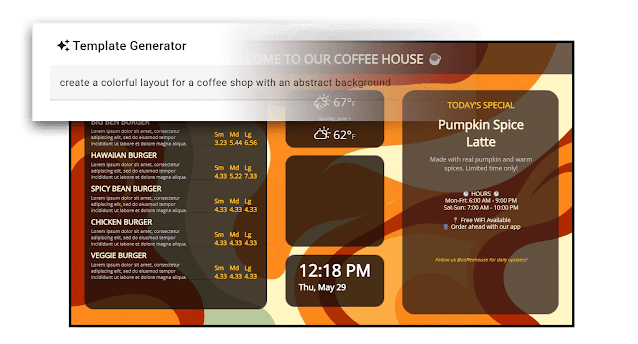
🤖 Transforming your digital signage with AI - A new suite of AI tools are now available for content creation
Today we are rolling out a suite of new features leveraging AI specifically for the content creation side of the digital signage equation. Sourcing content for digital signage can be a challenge and often involves a combination of stock media, pre-defined template layouts, and design tools such as Canva. It can be difficult to craft an effective message especially when not having much experience in the design world. These new tools will go along ways towards overcoming those challenges by essentially building an entire layout based solely on your description of what you want. This includes not only the content zones such as weather, news, slideshow, etc. - but also the background graphics and color scheme matching the requested theme. Describe your template and let AI handle the design work There are three main functional elements of this feature release: AI-Powered Template Generation - Complete multi-zone layouts from simple descriptions AI-Based Image Generation - Custom visuals created on demand AI-Assisted Template Script Creation - Coding assistance for those utilizing template scripting 🎨 AI-Powered Template Generation Transform Ideas Into Professional Layouts Instantly Simply describe your vision, and our AI creates complete multi-zone digital signage layouts optimized for your specific use case. Examples: "Create a restaurant menu board with today's specials, weather, and social media feed" "Design a corporate lobby display with company news, visitor information, and meeting schedules" "Build a retail promotion display with product showcase, QR code, and store hours" Key Benefits: Instant Professional Results - No design experience required Multi-Zone Intelligence - Smart content organization across different zones Context-Aware Design - Industry-specific optimization for maximum impact Customizable Foundation - Full control to refine and brand your layouts When creating your design, include comprehensive details to meet your requirements. Refine your work through multiple iterations until you achieve your desired outcome. Templates remain fully editable for any future modifications. 🖼️ AI-Based Image Generation Create Perfect Custom Visuals for Any Display Our AI image generation creates stunning, original visuals tailored to your exact specifications and display requirements. AI image generation Multi-Aspect Ratio Support Generate images perfectly sized for any screen configuration with support for landscape (16:9), portrait (9:16), and square (1:1) aspect ratios. Real-World Applications: Restaurant Industry: "Generate a mouth-watering image of our signature burger for the main menu display" "Create a cozy coffee shop atmosphere image for our entrance display" Retail Environments: "Design a summer sale background with beach vibes for our ultra-wide storefront display" "Generate product lifestyle images showing our athletic wear in action for square social zones" Corporate Communications: "Create professional team collaboration imagery for our conference room displays" "Generate abstract corporate background patterns in custom dimensions for our lobby video wall" Advanced Features: Brand Consistency - Use your brand colors, style, and aesthetic preferences Seasonal Adaptation - Automatically adjust imagery for holidays and seasons Real-time Generation - Create new visuals on-demand as your content needs evolve Quality Optimization - Images generated at optimal aspect ratio for your specific display needs ⚡ AI-Assisted Template Script Creation Simplified Custom Template Functionality Transform static displays into intelligent, responsive experiences with AI-generated scripts that react to real-time data, user interactions, and environmental conditions. Template scripting is generally reserved for special use-cases where low level access to the system and individual template elements are required. Now with AI assistance, you can simply describe the functionality you require and AI will generate the necessary scripting. While we still consider scripting a job for those with some technical background, this feature saves a tremendous amount of time when building out new functionality. What You Can Create: "When the user clicks the Hot Spot, show the 2nd item in the slideshow" "Display the QR code zone only when the playlist is on the 3rd slide" "Refresh the web zone every 5 minutes, and also when the template is initialized" "When serial data is received, show the slide with tags corresponding to the serial data" ** Currently limited to our Android based players Available Now All three AI-powered features are free to use and are rolling out now. Note the template generation and scripting are only applicable for multi-zone templates which are not available on Basic service levels. Ready to experience the future? These aren't just incremental improvements – they're fundamental changes in how digital signage content is created, managed, and optimized. We see tremendous potential for AI across the Revel Digital platform and are excited to unveil new capabilities as our technology advances and integrations become more refined. Please let us know what you think, we always appreciate your feedback.
Revel Digital
Introducing Acquaint - an AI sidekick for digital signage
Today we are rolling out Acquaint, a unique addition to the Revel Digital ecosystem which leverages agentic AI on the edge to provide a truly interactive experience for your users. AI has seen dramatic, exponential growth recently and for good reason. The latest AI models have reached a point to where interacting with an AI agent is largely indistinguishable from a human. While AI, or something akin to AI, has been utilized in some form or another for a number of years in the digital signage space, it has mostly been for object/face detection, people counting, or more recently image generation. The next gen AI models have much more capability in the agent space where AI is used as a tool for interpreting user requests, analyzing various forms for data, potentially acting on that data, and generating a response in a human friendly format. The general term for this is agentic AI and is commonly utilized alongside LLMs, or large language models, and various tools for retrieving and acting on data. So what is it? Essentially Acquaint is a side-kick for digital signage which can provide a human like interface to your kiosks, signage, or even in a headless environment. Acquaint is able to listen for and interpret a question, infer a response based on scheduled content, and provide a concise, human friendly response either to a display, or audibly. While there is no strict requirement for an actual display component (e.g. kiosk), the Acquaint bot is able to trigger content or perform other actions on your signage based on the context of the user interaction. Use cases Food lockers An example use case for Acquaint are self-service food lockers which are gaining popularity as a way to provide hot food options in corporate break rooms or for restaurant take-out. These are fully automated with a kiosk for food selection and purchase. In this instance Acquaint has been integrated as an agent for answering questions not only on the available food items, but also on any other aspect of the interaction including questions on how to make a purchase. When someone approaches the locker, Acquaint will initiate a conversation. The user has the ability to simply ask questions with Acquaint both answering audibly and triggering specific actions on the kiosk such as presenting the purchase screen for a specific food item. Hotel concierge Another example is a hotel kiosk which acts as a concierge. Hotel operators would schedule content for Acquaint which might include local entertainment and food options, shuttle schedules, available hotel amenities, etc. When paired with digital signage, Acquaint would be able to present on the display information related to the users query such as a website or a video managed by the Revel CMS. As with the food locker use case, the convenience is the ability to simply ask a question without having to navigate the traditional menu systems that would found on traditional touch screen kiosks. How does it work? Acquaint has been integrated into the Revel Digital ecosystem as a first class device with manageability similar to any other device in the CMS. Content is scheduled to the Acquaint bot similar to a traditional signage player, which the bot then uses as reference material for it's intelligence. For example, let's say you have a number of PDF's with marketing material you wish to associate with the bot. Simply upload those PDF's to your Revel Digital account, add those items to a playlist, and schedule the playlist to Acquaint. This scheduling allows for fine grained control over what the bot 'knows' based on your scheduling conditions such as date and time. Say for example you have a restaurant kiosk with separate menus for lunch and dinner. It would make sense to schedule the two menus based on time of day in order to limit Acquaints knowledge to only the relevant menu items. The technology Acquaint is using the latest hardware from Nvidia to power AI on the edge with the ability to run 100% offline - no internet connection required. Edge based AI provides faster response times than cloud based solutions by eliminating the latency and sometimes intermittent nature internet connections. Acquaint is also utilizing the very latest AI models to ensure not only quality inferencing, but also high quality text-to-speech audio. Specialized AI hardware from Nvidia The future? It has become clear that AI is here to stay, the question becomes where does it actually have utility and long-term value. We think these conversational AI agents certainly have a place, especially with the recent advancements in AI which are remarkable in their ability to understand and communicate in ways that feel surprisingly natural. As these technologies keep improving, we see many ways they could shake things up — from customer service and education to healthcare and creative work. It’s an exciting time, and we’re just starting to see what’s possible. For more information on Acquaint please visit our website: https://www.reveldigital.com/acquaint-agentic-ai-for-digital-signage
Revel Digital

Announcing Support for Amazon Signage Stick
Revel Digital is happy to announce availability as an out-of-the-box CMS option on the new Amazon Signage Stick. This new hardware from Amazon is derived from the Fire TV stick, but with a singular focus on digital signage applications. This new hardware has a number of important features critical for a successful digital signage deployment. Designed specifically for digital signage Easy Set up Deploy a device in minutes with intuitive out-of-the-box setup and registration. Kiosk Mode Unattended operating environment for ensuring the Revel Digital player app is always running. High performance Quad-core SoC, 4K video streaming and playback and high-bandwidth Wi-Fi 6E connectivity. Engineered With Security In Mind Secure boot loader, data encryption and regular updates keeps your signage safe and running smoothly. Easy to install and conceal from view Simple to Deploy & Manage The Revel Digital player app works out-of-the-box on Signage Stick for streamlined deployment. From initial startup to live content, setup in most cases can be performed in less than a few minutes. The user friendly nature of its design and strong feature set make the Amazon Signage Stick well suited for a wide variety of applications and various sized deployments. Feel free to contact us with any questions or head over to the Amazon site for more details.
Revel Digital
Changes to SMS notifications and command publishing
Just a notice that the phone number associated with our SMS based functionality has changed. This number is associated with messages you may receive related to our automated alerts as well as the number used to send commands to your devices. Old number: +1 702-872-2887 New number: +1 269-468-0908 Note that no action is required regarding this change other than possibly whitelisting the number on your mobile devices. For more information on how SMS can be leveraged see our articles here: Triggering content via SMS: https://support.reveldigital.com/hc/en-us/articles/360056401931-Sending-commands-via-SMS-text-messaging Managing automated alerts: https://support.reveldigital.com/hc/en-us/articles/28241962376461-Alerts-and-Network-Monitoring
Revel Digital

Into the Fediverse! New social feed gadget for Bluesky, Mastodon, Threads, and more
A number of new social networking platforms are gaining traction, emphasizing free and open architecture. With the launch of our new social feed gadget, we now support several of these platforms, including Bluesky, Mastodon, Threads, and others that utilize federated social protocols, collectively known as the Fediverse. These protocols provide users with greater control over their content, empowering creators and offering an alternative for those seeking a fresh social networking experience. Logos of newly supported social networks left to right: Bluesky, Mastodon, Threads, & the Fediverse Sharing posts on your digital signage is as easy as adding the user ID, feed link, or social address from your platform of choice and that’s it! Your gadget is now configured to showcase all the latest posts from your favorite curator, organization, or online personality. A Bluesky post displayed by the gadget shows 'card' element, author, date, body, & QR code For greater flexibility, the gadget can be tailored to meet your exact digital signage needs with support for dynamic screen orientation, content filters, custom text or image style, and more. For more detailed setup instructions, please see our social feed gadget support article. We hope you find this new gadget to be a welcome addition to our current offering of social gadgets. Please note, that our gadget library currently includes solutions for social platforms including Facebook, Instagram, YouTube, and now Bluesky, Mastodon, Threads, and more, via the new social feed gadget. At this time X/Twitter isn't supported due to restrictions with their API usage. We hope you like the new gadget and get a handle on it soon. As always we appreciate any feedback to help us better improve our services. Happy posting!
Tyler
Stay Updated
Subscribe to our newsletter to receive the latest updates, features, and digital signage insights.